








Trusted by nonprofit finance teams

Annual Budgets

The problem with the annual cycle

Why Annual Budgets Stop Matching Reality

A budget approved in the fall is a snapshot of what the organization expected at that moment. By spring, several of those assumptions have usually moved. A multi-year grant gets restructured. A funder delays a decision. A program scales faster than planned and needs more staff. Each change pulls the actuals further from the budget, and the annual document becomes a record of intentions rather than a tool for decisions. Rolling forecasts close that gap by keeping the outlook up to date as the facts change.

How It Works

How it works in Budgyt

What a Rolling Forecast Looks Like in Budgyt

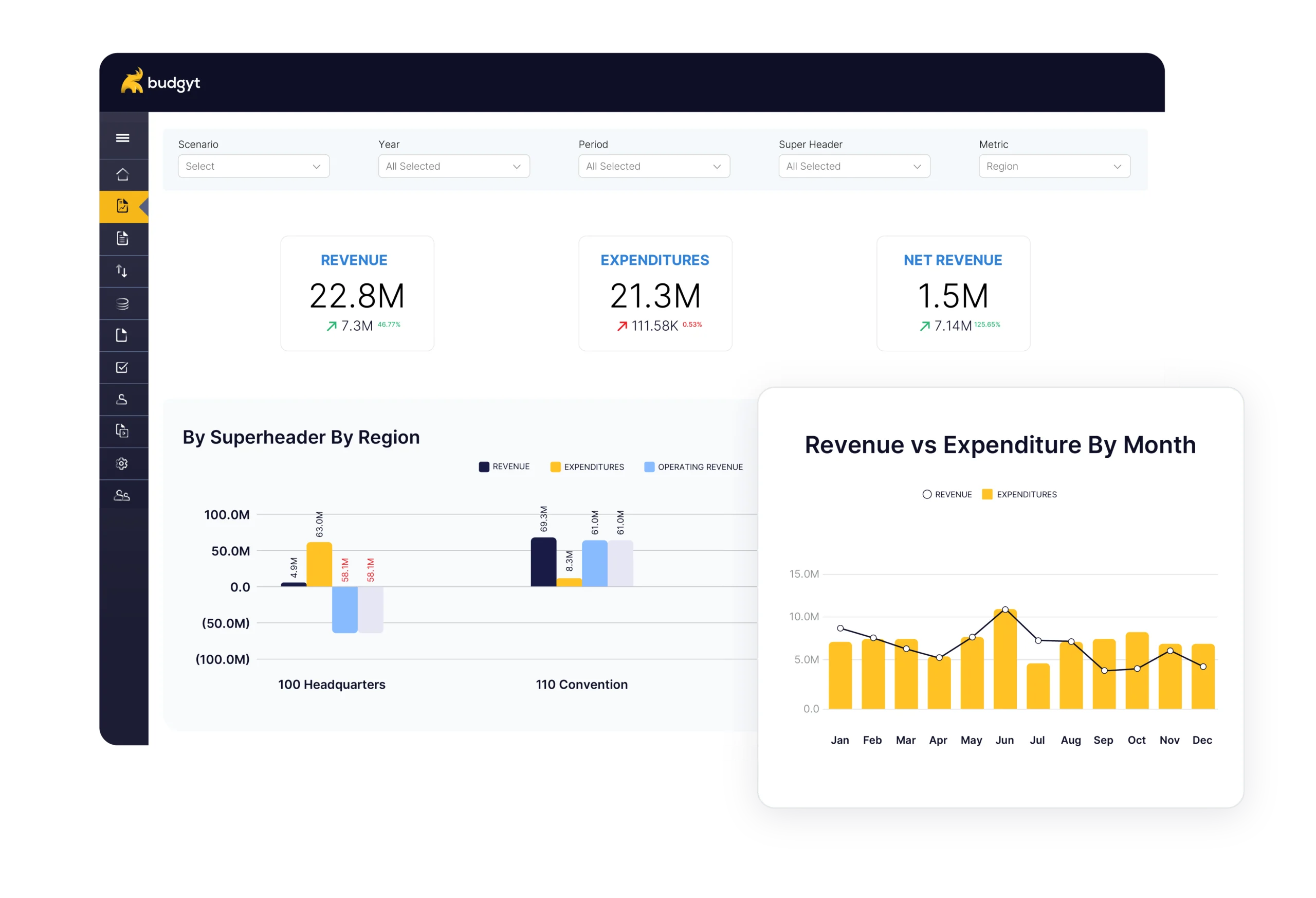
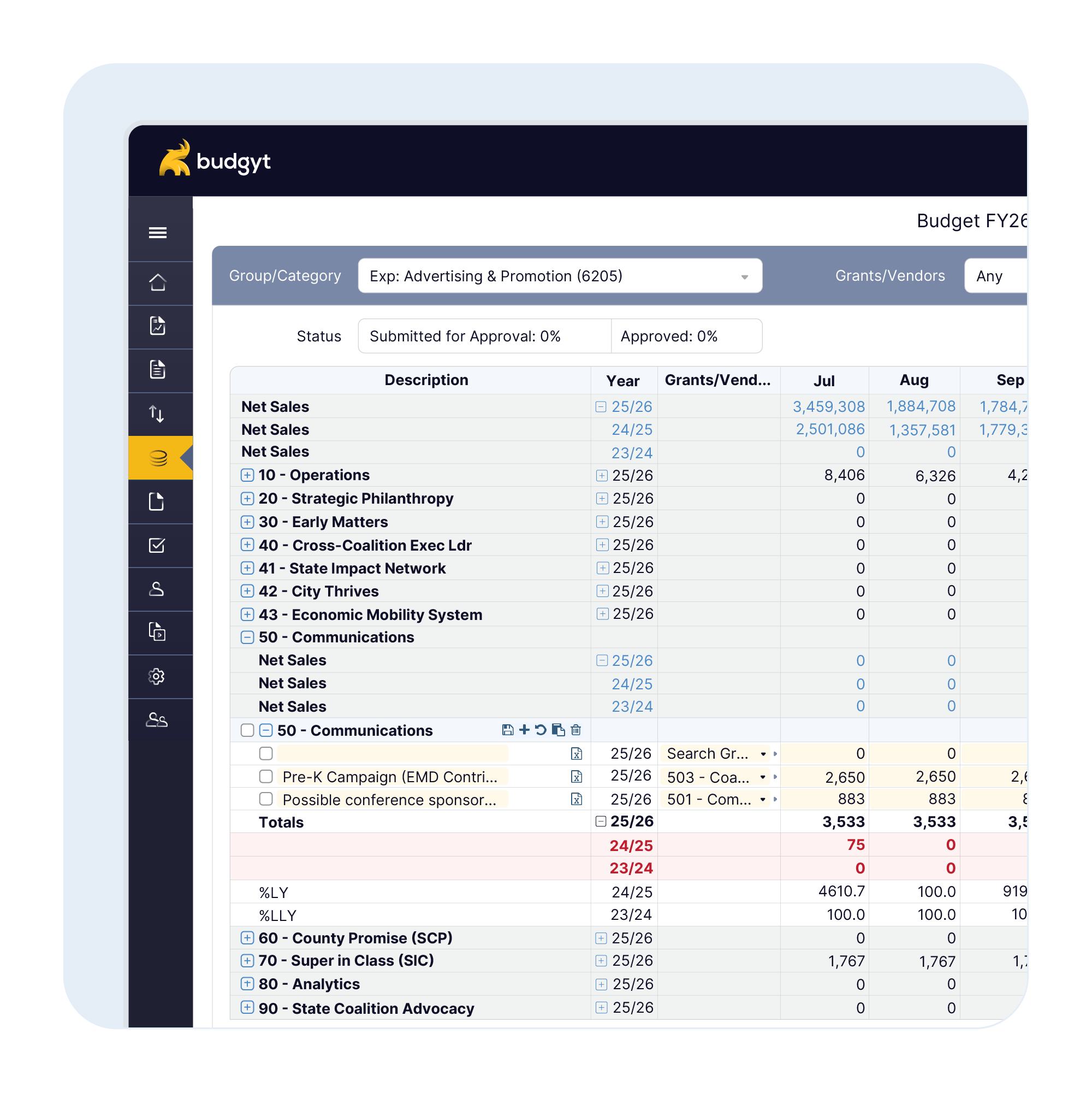
A rolling forecast in Budgyt starts from your existing budget and stays current as the year unfolds. Actuals come in from your accounting system through on-demand imports that you control, and the forecast reflects real spending rather than estimates. When something changes, you adjust the affected lines, and the downstream view updates accordingly. Your team runs this on whatever cadence suits the organization, monthly, quarterly, or around grant milestones, without rebuilding a spreadsheet each time.

When You Reforecast Across the Year

Step 1: Set up once

Your current budget becomes the baseline, no blank-sheet rebuild.

  • Accounts, departments, and grant splits import in one pass
  • Restricted and unrestricted funds keep their structure
  • Prior-year actuals load in for reference

You forecast from numbers you already trust.
Step 2: Import actuals on your schedule

Real spend flows in when you want it, not on a feed you can’t control.

  • On-demand pulls from QuickBooks, Sage Intacct, or NetSuite
  • Refresh before a board meeting or mid-month, your call
  • Every line shows budget against what was spent

Now each number traces back to real spend.

Step 3: Reforecast without rebuilding

Change what moved and the model keeps up with you.

  • Edit only the lines that changed
  • Everything downstream recalculates with it
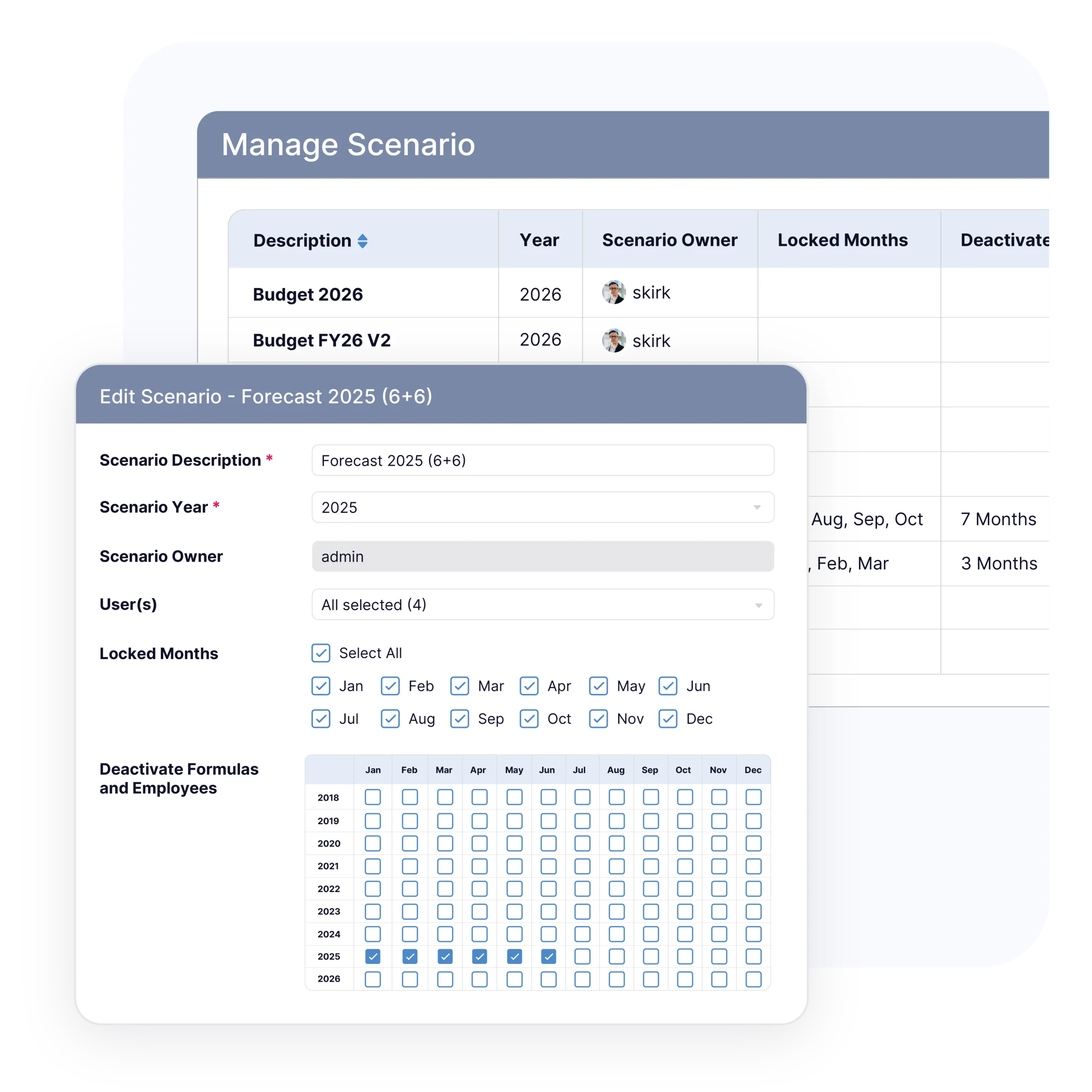
  • Scenario versions and the board view update together
What sets Budgyt apart

The Budgyt Difference

Reforecast without rebuilding

Adjust a forecast in place instead of cloning another spreadsheet version. Change the lines that moved, and the rest of the view follows. Last quarter’s work is not lost when this quarter’s numbers change.

Scenario modeling for funding changes

Model what a delayed grant, a renewal, or a staffing change does to the year before it happens. Compare versions side by side so leadership can decide with the numbers in front of them.

Grant-aware forecasting

Forecasts respect how the organization is funded. Restricted and unrestricted funds stay separate, and staff costs allocated across grants carry through into the forecast.

Book a Demo Finance keeps a current, board-ready view across departments and grants, without spreadsheet chaos.
Planning for what might happen

Scenario Planning When Funding Shifts

Funding rarely lands exactly as budgeted, and a rolling forecast lets you plan for the range of outcomes. Suppose a three-year grant is up for renewal mid-year. In Budgyt, you can build one version that assumes renewal and another that assumes it lapses, then see how each affects staffing and program spend for the rest of the year. When the funder decides, you carry the relevant version forward. Leadership sees the impact early rather than reacting once the gap has already opened.

If the grant renews

 The plan you built holds and the year stays on track.

  • Staffing stays funded through the period
  • Program spend continues as scheduled
  • The renewal version carries straight forward

No mid-year scramble to rebuild around good news.

If the grant lapses

You modeled this scenario months ago, well before the funder decided.

  • Spend scales back to the funding that remains
  • The shortfall is visible before it bites
  • Leadership chooses where to cut, on its own timeline

You adjust early instead of discovering it late.

The Limits of Spreadsheet Forecasting

Why teams start looking

Why Nonprofits Move Beyond Spreadsheets

Spreadsheet forecasting struggles under the same pressures that make rolling forecasts necessary in the first place. The web of tabs grows with every new program and funder, and keeping staff allocations accurate as funding changes mid-year takes constant manual effort. Rebuilding the forecast each time the picture shifts is the slow part, and a forecast reconstructed from overwritten cells gives an auditor little to follow. The version confusion that comes when forecasts travel by email makes it worse, and the clean board view leadership expects becomes hard to produce on demand. A forecast that updates as the facts change takes those frictions off the table.

Implementation & Onboarding

Up and running in two weeks

Implementation Built Around Your Finance Team

 Setup happens through API connections to your accounting system. Most customers are fully functional in about two weeks, with Budgyt’s team handling the data plumbing while your finance team focuses on planning. There are no server installations or infrastructure changes to manage.

Support from day one

Onboarding That Gets You Running

Budgyt’s onboarding team walks you through your chart of accounts, your departments, and your reporting setup.

  • Expert onboarding. Guided setup of your accounts, departments, and reports.
  • Knowledge base. Articles and videos covering the scenarios you are likely to meet.
  • Training library. Sessions are recorded and available whenever your team needs them.
  • Same-day support. Included free.
What nonprofit finance leaders say

Trusted by Nonprofit Finance Teams

Both our finance team and our budget discussions have been dramatically more efficient. Automatic consolidation on the cloud allows our decision makers to view bottom-line impacts in real-time for much more strategic business planning.

Jason Kempt

Now we no longer have to generate reports in Quickbooks and send them to users so that they can parse the data.

Elizabeth Burchfield, Accountant

We adopted Budgyt as a budgeting solution to replace Excel, but it has become so much more than that. It’s our tool of choice for budgeting, forecasting, and analysis, and it is incredibly accessible and easy.

Tom Ducary, Controller
Common Questions

Frequently Asked Questions

How do nonprofits manage rolling forecasts?

By updating the outlook as actuals and funding change rather than holding to a fixed annual budget. In Budgyt, that means importing actuals on demand, adjusting the lines that moved, and reforecasting on whatever cadence the team runs.

What is the difference between a budget and a rolling forecast?

A budget is a fixed plan set for the year. A rolling forecast is a current estimate of where the year is heading, updated as conditions change. Most nonprofit finance teams maintain a governance budget and use the rolling forecast for decision-making.

How often should we reforecast?

There is no single rule. Budgyt lets you reforecast on any schedule. Teams update monthly, quarterly, or around grant milestones, depending on how fast their funding moves.

Can program heads contribute without seeing salary data?

Yes. Role-based permissions let program heads update their own lines, while salary details remain visible only to those who should see them.

Does this connect to our accounting system?

Yes. Budgyt connects to systems such as QuickBooks, Sage Intacct, and NetSuite, importing actuals on demand so the forecast reflects real spending.

Keep Your Forecast Current Use our Time Savings Calculator See how your budget becomes a living forecast that updates as grants, donors, and staffing change, with the numbers ready for the board whenever they are needed.