Every Nonprofit Finance Leader Knows This Feeling

The Grant Allocation Nightmare

70% Payroll = 70% Risk

When the majority of your budget is staff costs split across multiple grants, you’re managing thousands of interconnected formulas. Every funding change means rebuilding allocations, usually at 11pm the night before your board meeting.

Rolling Forecasts Are Essential

You should be delivering rolling forecasts that adapt to changing circumstances, not annual budgets that become obsolete every time funding shifts. And restricted vs unrestricted expenses? That should be clear, easy, and most importantly, auditable.

Compliance Without Compromise

Grant reporting demands bulletproof audit trails and precise allocation tracking. Excel’s formula errors don’t only jeopardize budgeting integrity, they jeopardize funding relationships too.

The Excel Problem

Plot Twist: Your "Simple" Excel Budget Has Over 8,000 Rollup Formulas

Think you’ve got a handle on your budget? Here’s what you’re really juggling:

150 accounts × 15 departments × multiple rollup formulas = 8,000+ ways to lose credibility with your board.

Now add grant allocations. Every staff member split across multiple funding sources, with percentages that change quarterly. Every allocation has to match your general ledger, your funder reports, and your audit trail.

That’s nearly impossible in Excel. (Okay, it IS impossible.)

It's time to #ref Excel budgeting

The 2am panic when you find circular references. The board meeting where you’re frantically hunting through hidden worksheets while everyone watches. The weekend you lost rebuilding allocation formulas after someone changed a percentage.

You manage grant-funded programs. You report to funders and boards with fiduciary responsibility. It’s time to budget like it.

The Budgyt difference

One Platform. Three Steps. Mission-Critical Budget Control.

Build grant-compliant budgets with reliable allocation

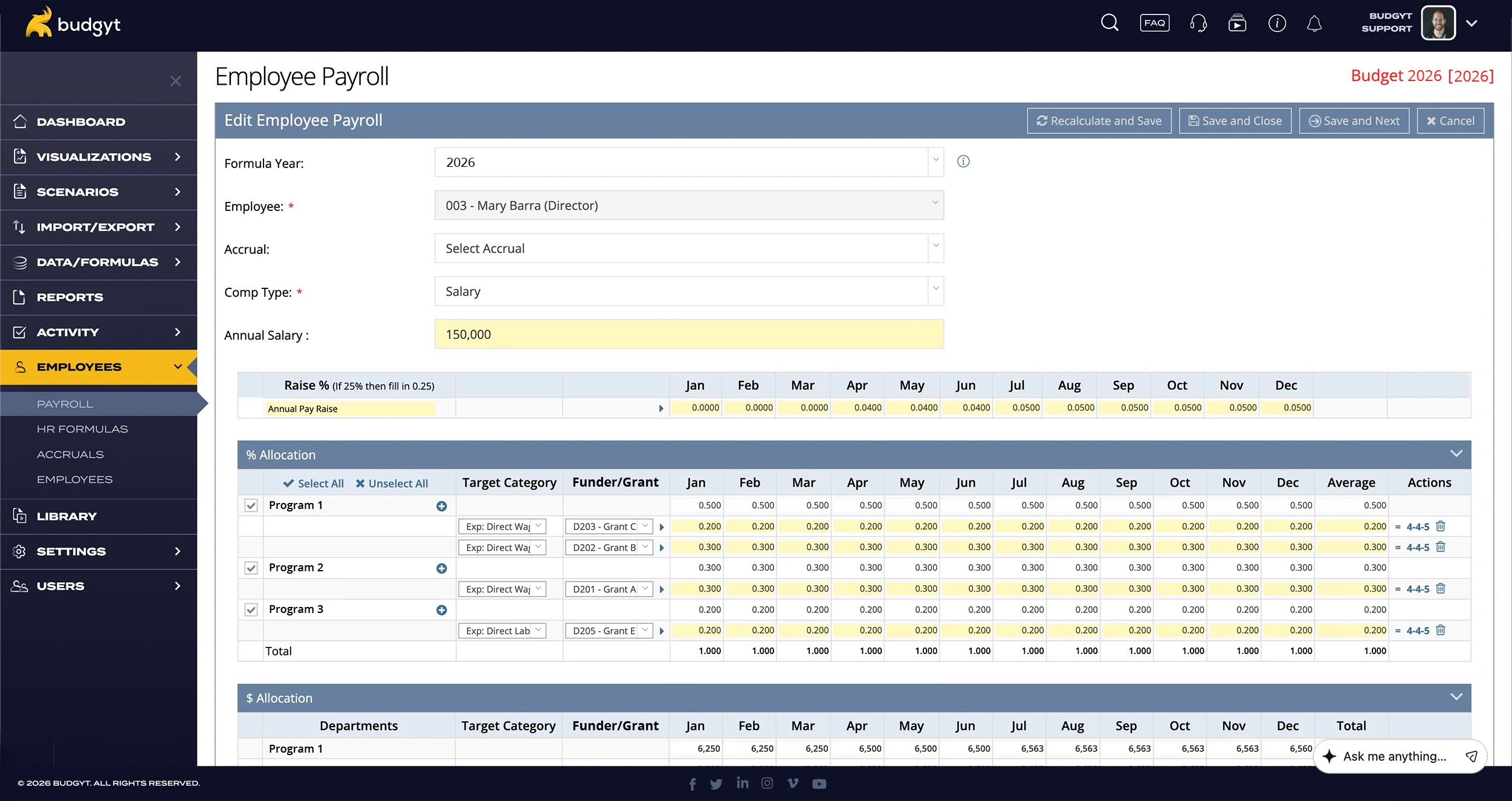
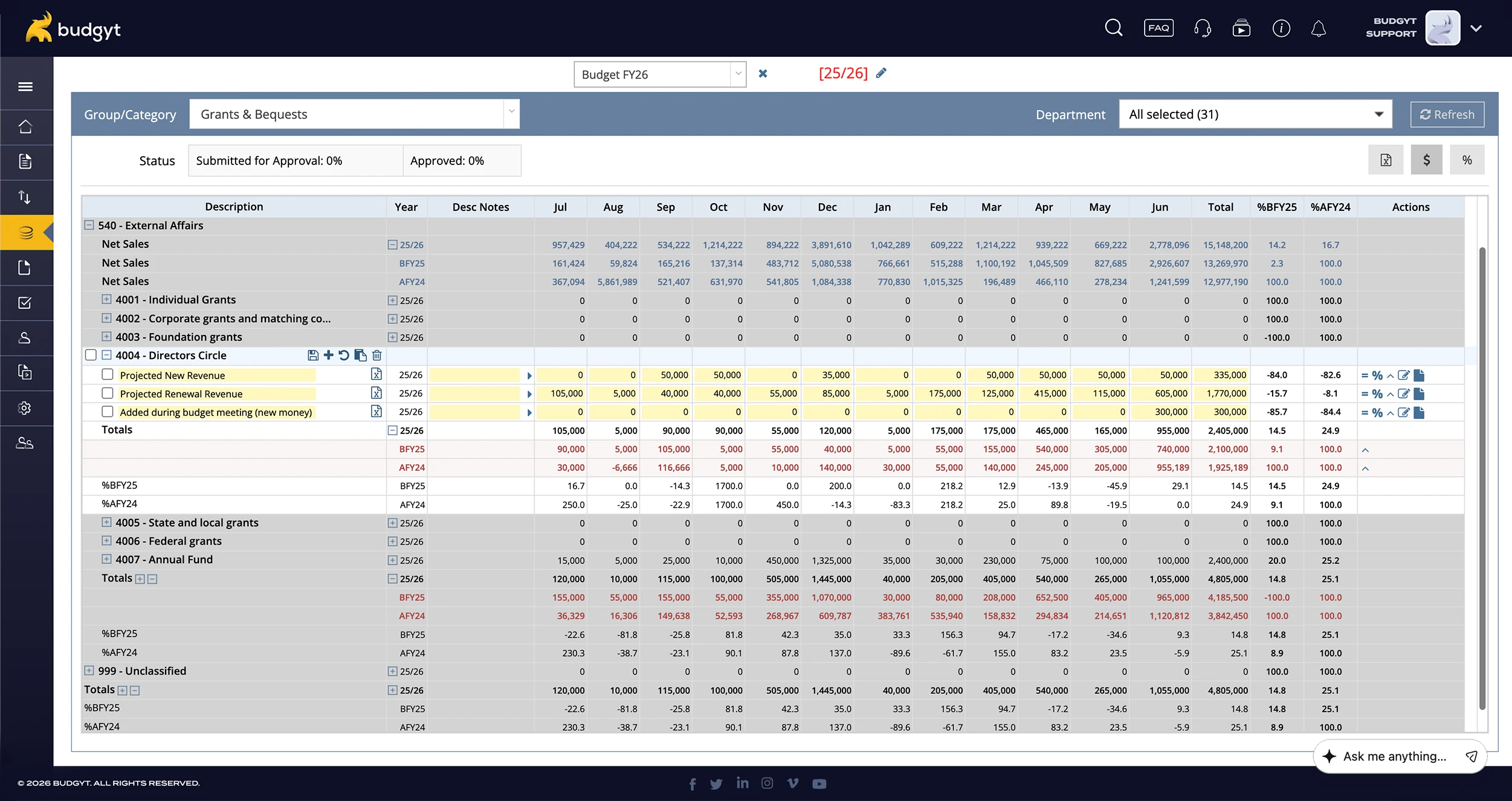
Set payroll percentages across multiple grants and programs. No broken formulas, no allocation errors, no circular reference anxiety.

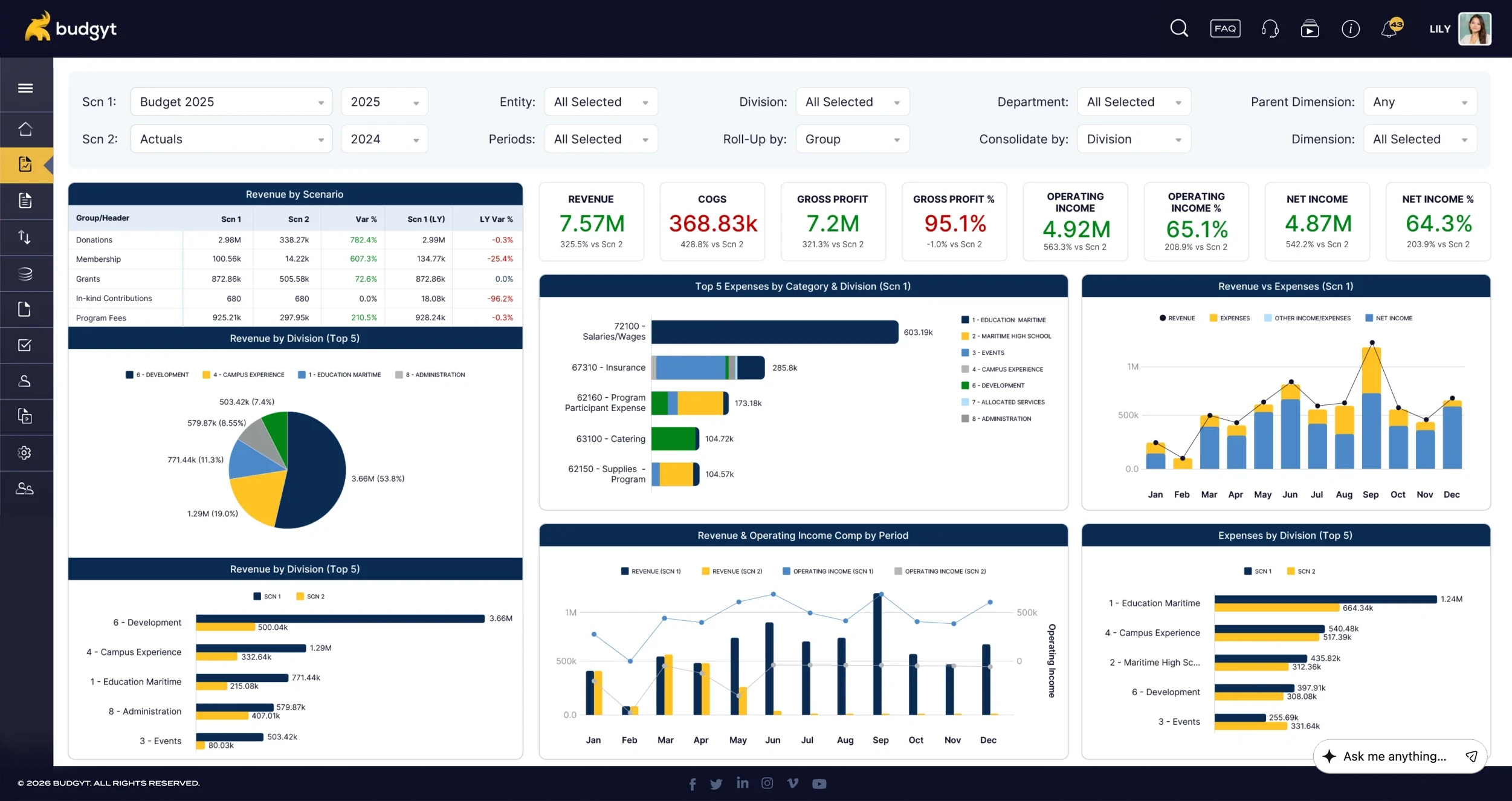
Analyze program or grant performance with granular variance tracking

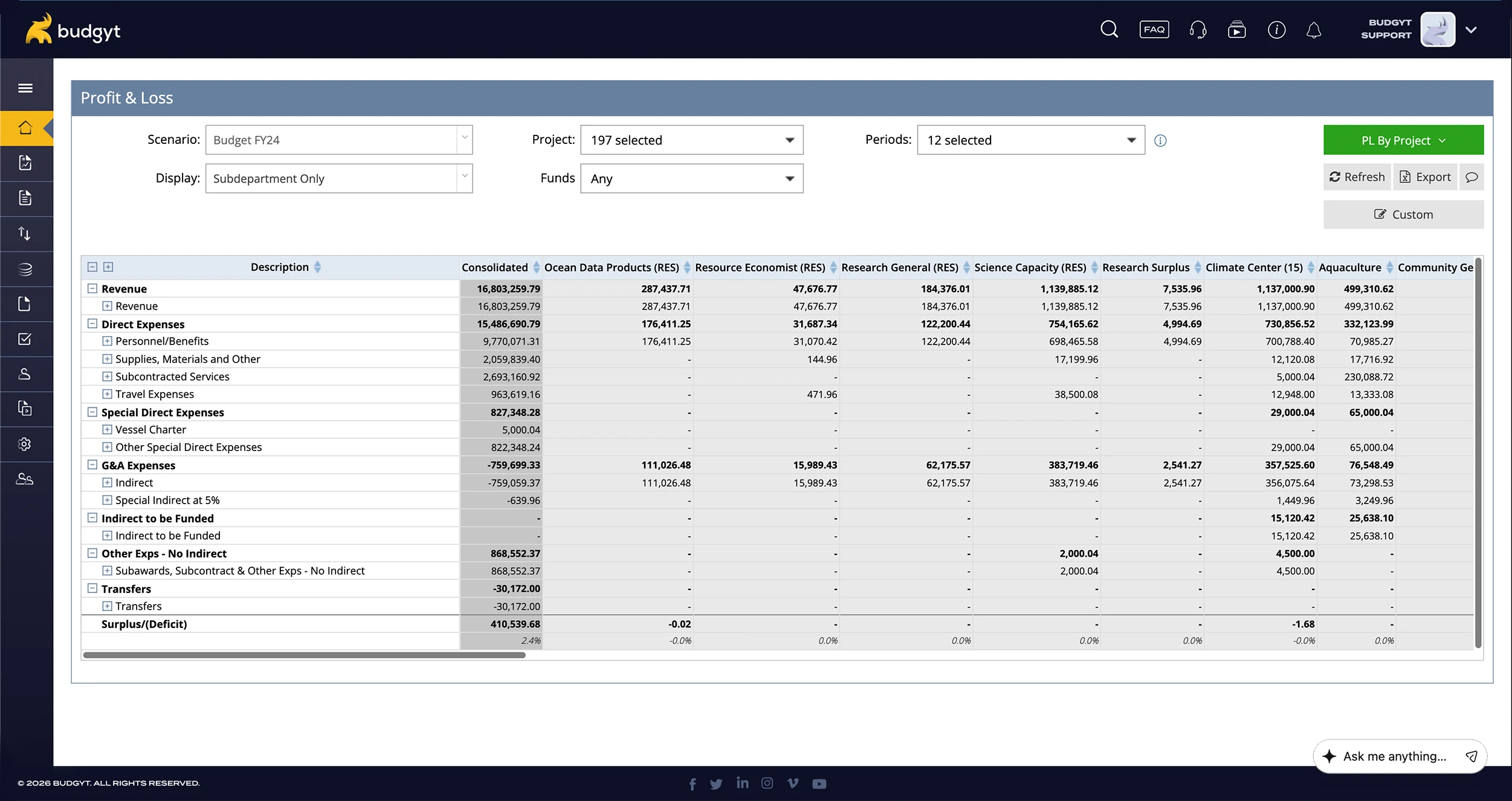
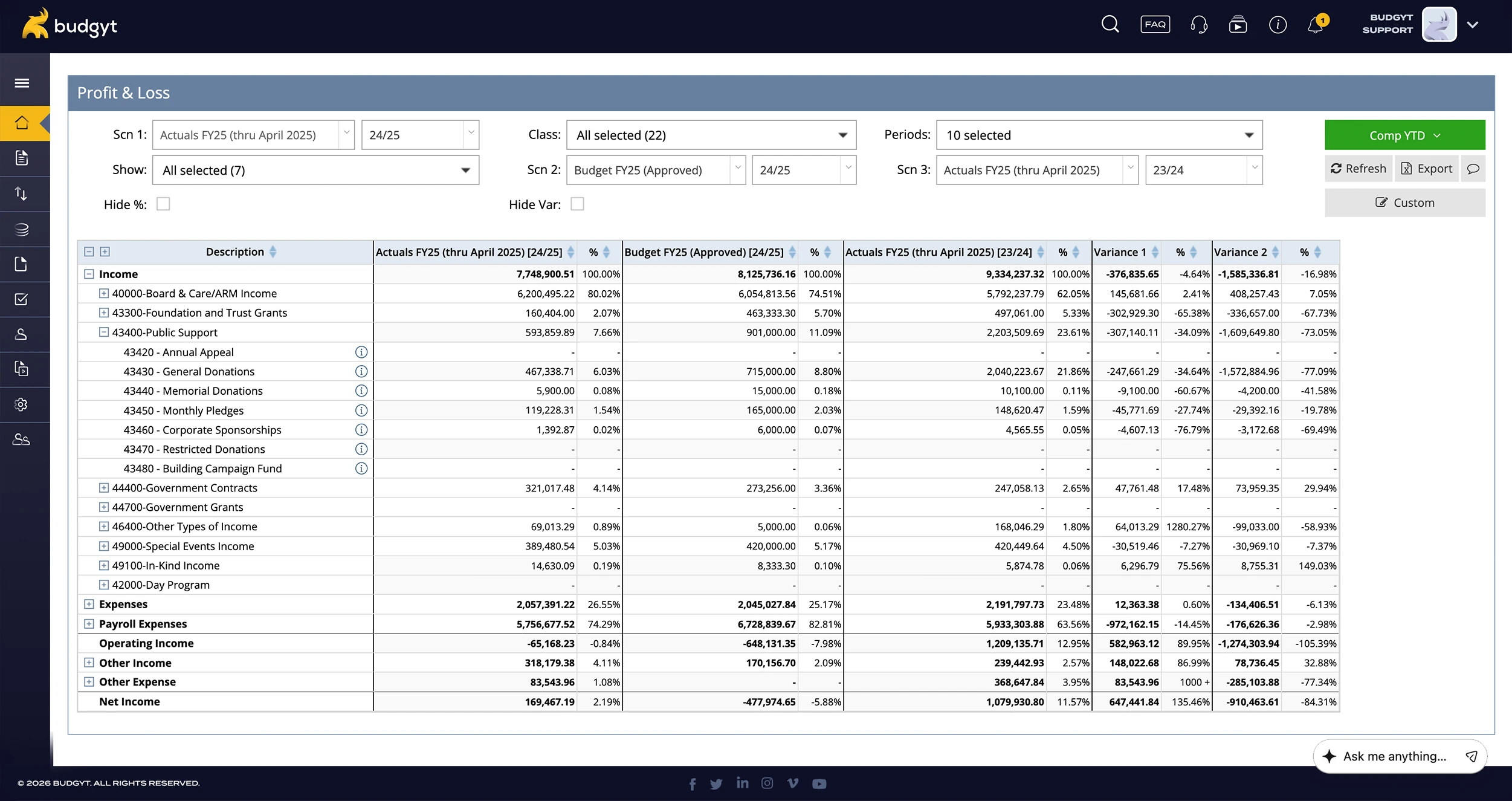
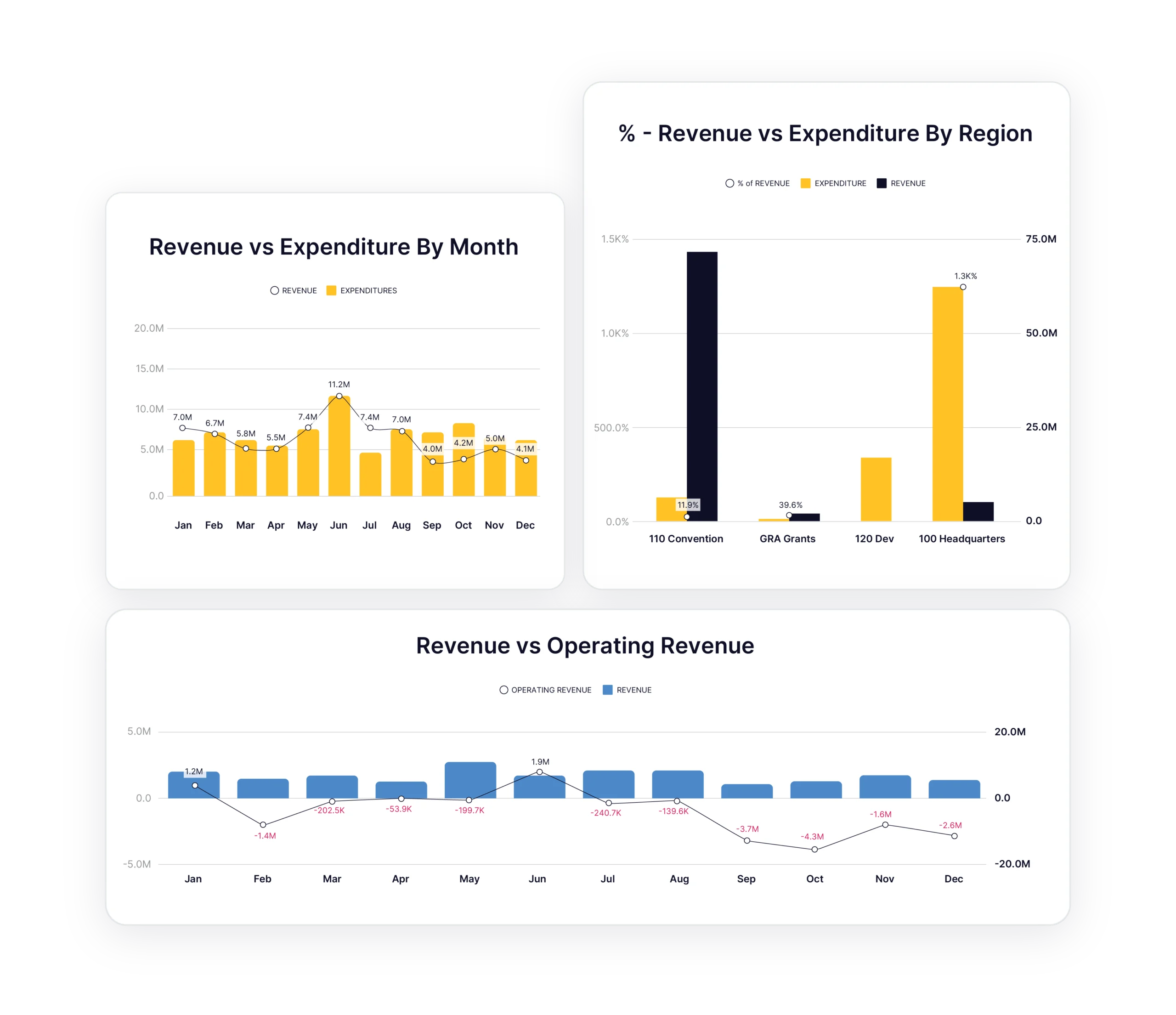
Import actuals directly and compare grant spending side-by-side. Click any variance to see specific vendors, employees, or program costs.

Reforecast when funding changes mid-year

Three months actual, nine months forecast. Update allocations instantly when grants are modified or new funding arrives. Adapt to funding reality, so you’re not reliant on a static, outdated budget.

Using QuickBooks Online?

Budgyt maps directly to your classes and customers structure, so your programs and funders carry straight through. No remapping or manual workarounds.

Built-In Payroll Allocation

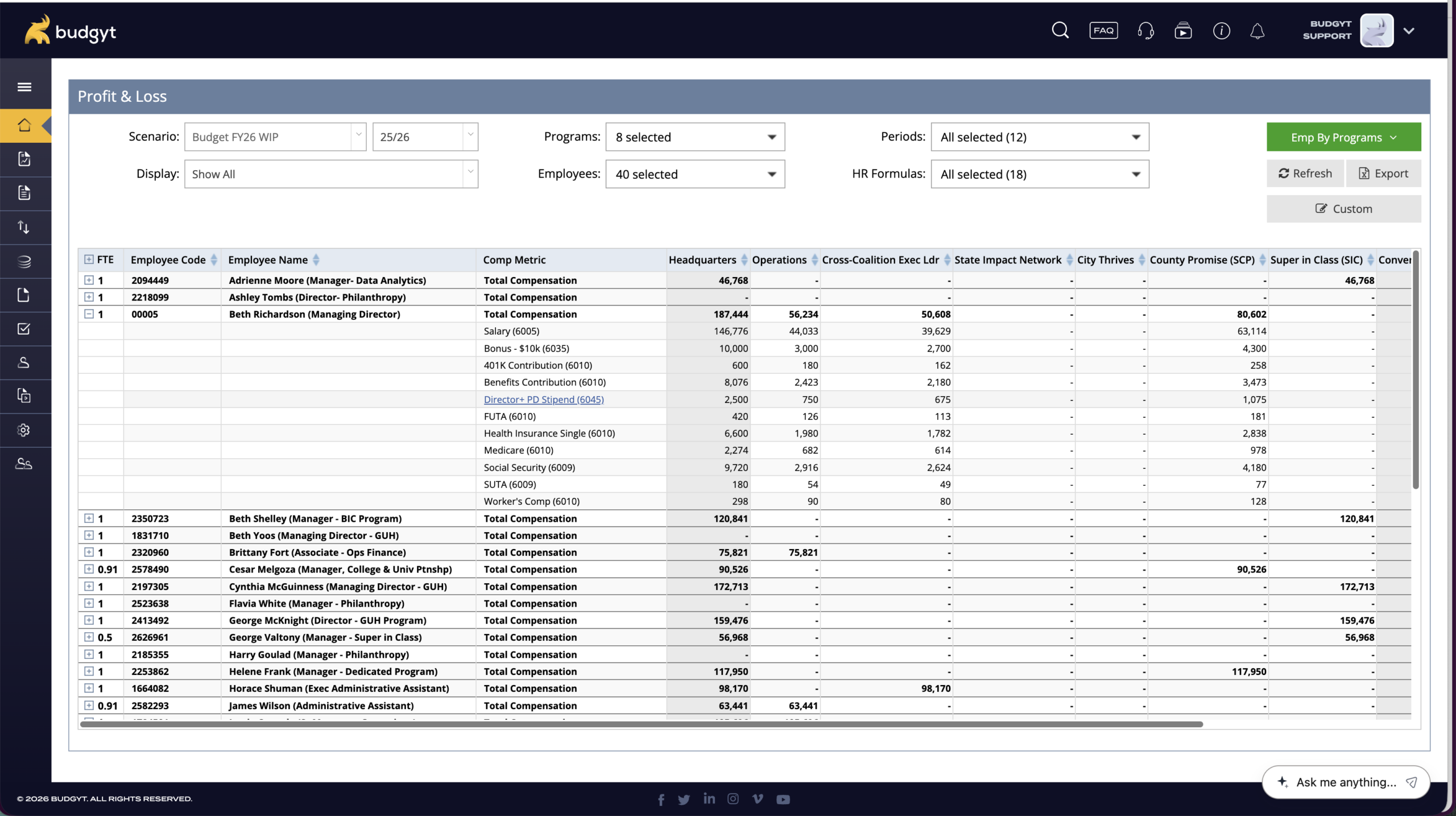
Allocate staff across multiple grants by percentage. Change allocations monthly without rebuilding formulas. Report back to funders on exactly how their money is spent. No more VLOOKUP nightmares.

Dynamic Driver Formulas

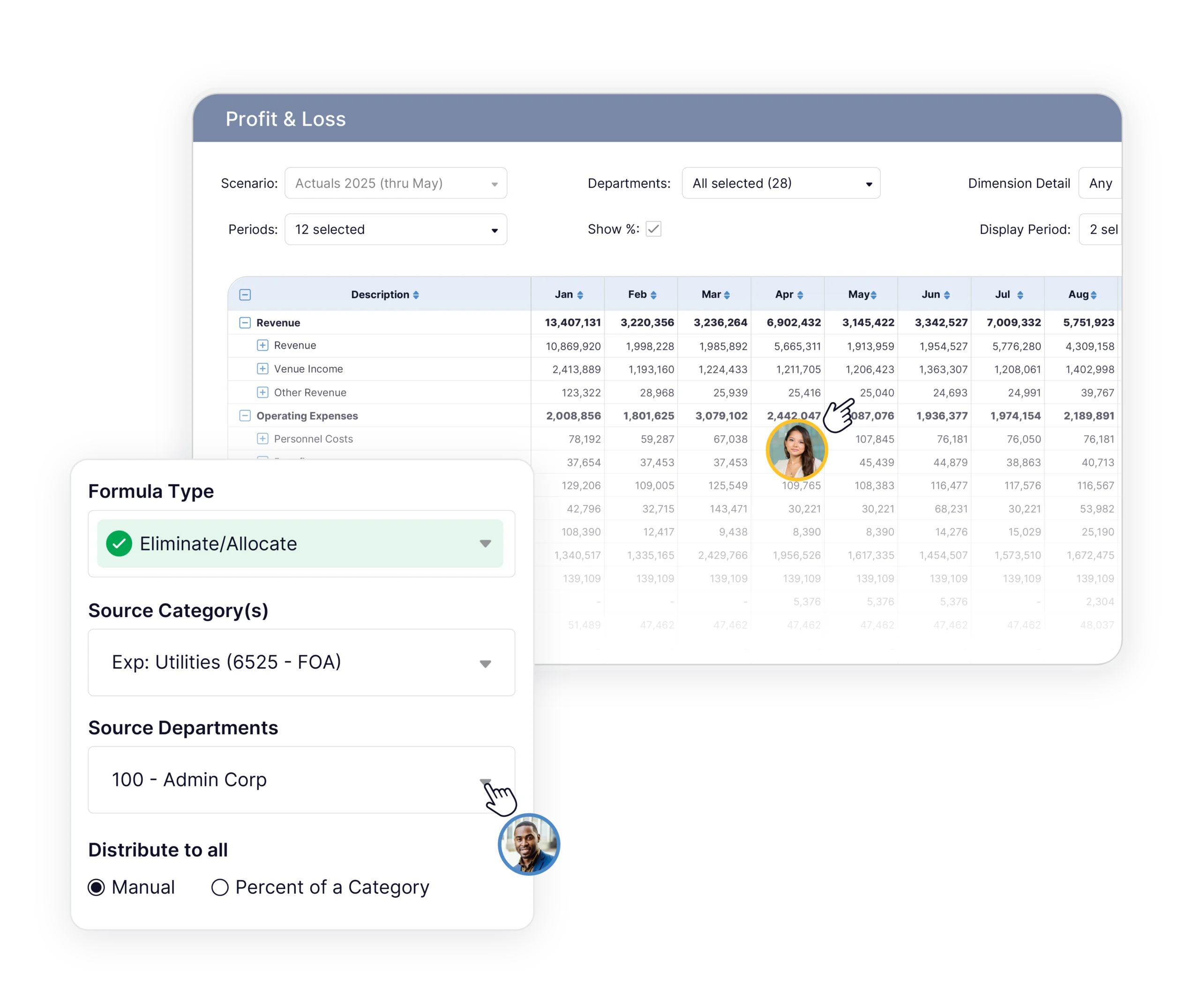
Revenue per customer, cost per unit – build once, works forever. Stack formulas like Excel, but they actually work.

Unlimited Team Collaboration

Every department head contributes directly. You maintain complete control. Unlimited users with no sneaky per-user fees.

Testimonials

Trusted by 200+ Nonprofits

We adopted Budgyt as a budgeting solution to replace Excel, but it has become so much more than that. It’s our tool of choice for budgeting, forecasting, and analysis, and it is incredibly accessible and easy.

Tom Ducary, Controller

Both our finance team and our budget discussions have been dramatically more efficient. Automatic consolidation on the cloud allows our decision makers to view bottom-line impacts in real-time for much more strategic business planning.

Jason Kempt

Budgyt provides our leaders with an easy, self-service interface for their financial data. It empowers them to do their own analysis and saves the finance team a lot of time answering questions.

David Jamieson, Controller

Built for Grant Funded Operations

Multi-Grant Allocation

  • Allocate single employees across multiple grants by percentage
  • Change allocations monthly without rebuilding formulas
  • Report back to funders on how their money is spent

Program-Level Budgeting

  • Department heads build program budgets directly
  • Complete visibility into program costs and funding sources
  • Granular permissions protect sensitive salary data
  • Program heads see their total budget allocations while individual salary information stays confidential

Compliance Reporting

  • Export grant-specific reports in required formats
  • Complete audit trail from summary to transaction level
  • Historical data access for grant renewal applications

Funding Change Management

  • Scenario planning for different funding outcomes
  • Customize funding period range and budget to actual by fiscal year, calendar year, or across years
  • Impact analysis shows which programs are affected
About Us

Built by a Finance Leader Who Thought Good Budgeting Software Should Be Affordable

James McCoy, Founder and CEO

I spent 15 years in Finance & Accounting in various leadership positions. I dealt with every Excel nightmare you’re dealing with right now: broken formulas, version control disasters, board meetings where someone found an error in the roll-ups.

When I went looking for budgeting software, every option cost $35,000+ a year and took months to implement. That didn’t sit right with me. Nonprofit finance teams need the same budgeting tools as large organizations. They just can’t afford the price tag that comes with them.

So I built Budgyt. Database-backed, not built on top of Excel, so formulas can never break. Priced so that any finance team can afford it, and access it. And designed so your department heads and program directors can use it without an accounting degree.


800+

customers prove it works

12+

years eliminating Excel nightmares

4,000+

active users

Nonprofit Budgeting: Frequently Asked Questions

What is the best way to budget for a nonprofit organization?

Build your budget around your funding structure, not a standard P&L. Separate restricted and unrestricted funds from the start. Allocate staff costs to the grants and programs they support. And plan on a rolling basis, because an annual budget becomes outdated the moment a funder changes requirements. Spreadsheets fall apart here because any change to staff allocations or grant terms means rebuilding formulas across the whole workbook. Budgyt is designed around this structure: allocations update automatically and you can reforecast without starting over.

How do nonprofits allocate staff costs across multiple grants?

Most nonprofits allocate by percentage. An employee might be 40% funded by one grant, 35% by another, and 25% from unrestricted funds. In Excel, those percentages have to be manually maintained for every budget period, and changing one cascades through hundreds of dependent formulas. The better approach is to set the percentages once and let the system calculate the dollar amounts, updating automatically when salary figures or funding levels change. Auditors expect a clear, traceable record of how each employee’s time was allocated to each funding source. That’s difficult to produce from a spreadsheet and straightforward in Budgyt.

What happens if grant allocations are wrong during an audit?

It depends on the severity. An allocation error found during a grant audit can result in a formal audit finding. That can mean returning funds, or the funder reducing or withdrawing future grants. Auditors want to see how each cost was allocated, what the supporting documentation looks like, and whether the methodology was applied consistently. Producing that from Excel under time pressure is stressful and error-prone. A system with a complete audit log, where any number traces back to its calculation in two clicks, makes the process significantly easier.

How much does nonprofit budgeting software cost?

Enterprise platforms typically start at $20,000 to $35,000 per year, which is out of reach for most small and mid-size nonprofits. Budgyt starts at $399/month with unlimited users. For many nonprofits, that falls below the procurement threshold requiring a formal three-bid process, which means a finance director can evaluate and adopt it without a lengthy RFP cycle. Practical when budget season is already underway.

What is the difference between restricted and unrestricted funds in a nonprofit budget?

Restricted funds can only be spent on what a funder designated: a specific program, project, or activity. Unrestricted funds are at the organization’s discretion, including overhead and administration. For budgeting, this means tracking spending against each restricted source separately, reporting back to funders on exactly how their money was used, and making sure restricted funds aren’t applied to ineligible expenses. Your budget needs program-level detail, not a consolidated view, and funder reporting has to match what your accounting system recorded.

How do nonprofits manage budgets across multiple programs and departments?

Give each program or department its own budget that rolls up to an organizational total. The hard part is keeping individual budgets consistent with shared costs: staff who work across programs, overhead allocations, shared services. In a spreadsheet, that means links between tabs that break whenever someone edits the wrong cell. In Budgyt, department heads build their own budgets directly, allocations are calculated centrally, and the consolidated view updates on its own. The finance team stays in control without becoming the bottleneck.

How do you create rolling forecasts for a nonprofit?

Replace the static annual budget with a view that updates continuously: three months of actuals followed by nine months of forecast, refreshed monthly. This is important for nonprofits as funding changes mid-year. Grants get modified, new money arrives, programs expand or contract. A rolling forecast keeps you working from a current picture instead of a budget that was accurate in October and irrelevant by March. The key is a system where importing new actuals and adjusting projections forward doesn’t mean rebuilding the model from scratch every month.