
Build grant-compliant budgets with reliable allocation
Set payroll percentages across multiple grants and programs without the broken formulas and allocation errors that come with managing it in spreadsheets.
Allocate payroll across multiple grants, track restricted funds, and produce audit-ready reports without rebuilding a single formula.
When 70% of your budget is payroll split across multiple grants with different restrictions, the hard part is the allocation rather than the budget itself. Each employee’s salary has to be split by grant percentage, restricted funds kept separate from unrestricted, and every line item has to hold up to an audit. That is where Excel starts to fall apart.
Finally, grant allocation you can actually justify in a board meeting.










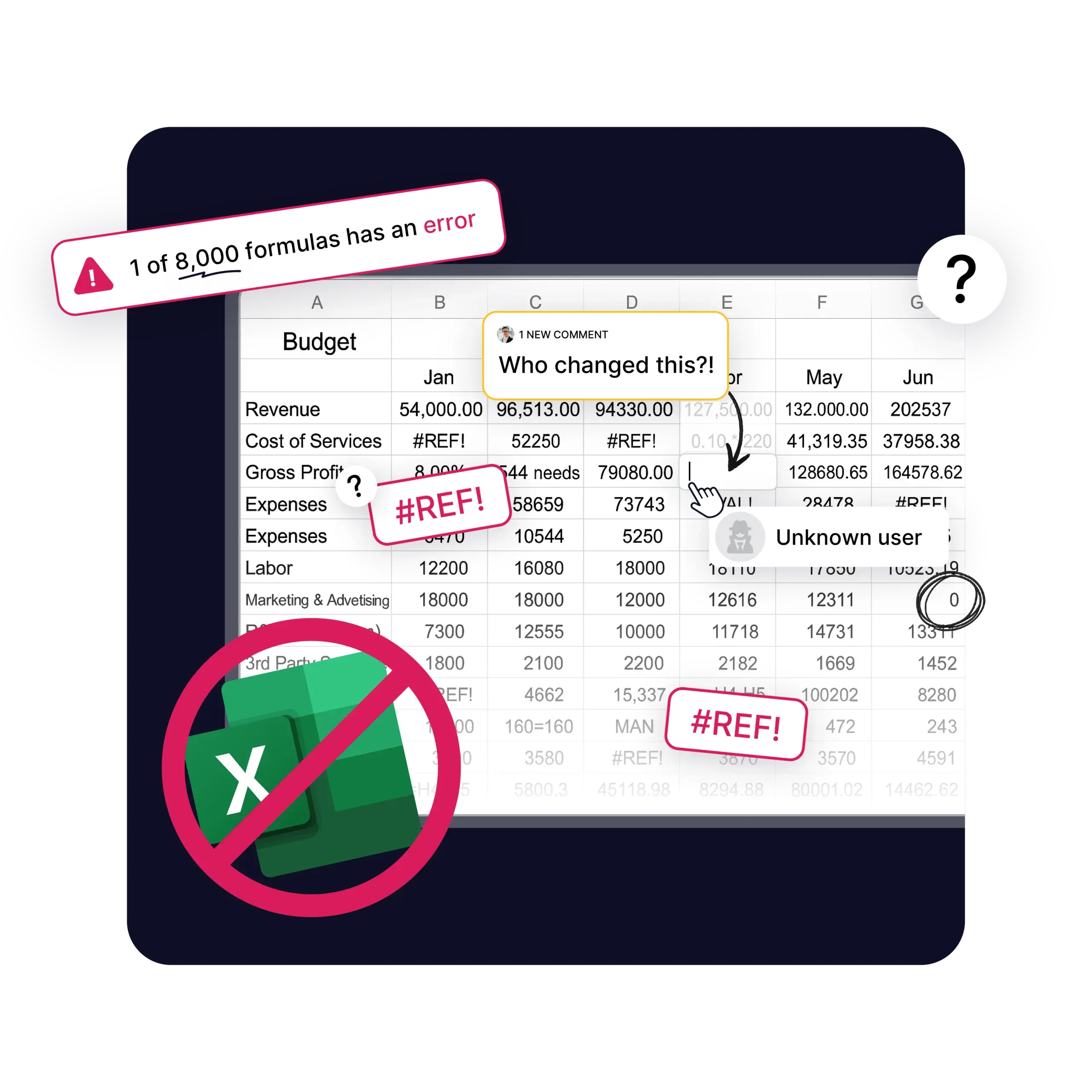
When the majority of your budget is staff costs split across multiple grants, you’re managing thousands of interconnected formulas. One employee working across three grants means their salary gets allocated by percentage every month. Multiply that across 20-plus staff, and you have hundreds of allocation formulas that have to be correct for every funder report.
Every funding change means rebuilding those allocations, usually the night before a board meeting. Links break, numbers stop reconciling, and the audit trail a funder needs to see lives in hidden worksheets nobody can follow.
Set payroll percentages across grants and programs once, allocating single employees across multiple grants by percentage. When funding changes mid-year, allocations update across your reports without rebuilding formulas. Split a single salary across departments, grants, and programs, change those allocations month to month without touching the underlying structure, and report back to funders on how their money is spent.
Worked example: A $72,000 salary splits across three grants, set once at 50% federal, 30% foundation, and 20% state ($36,000, $21,600, and $14,400). When the foundation grant ends mid-year, you change one percentage, and every report and funder export updates accordingly, while the full allocation history stays on record for the auditor.
| Grant Budgeting Task | In Excel | In Budgyt |
|---|---|---|
| Update allocations when funding changes | Rebuild formulas across linked sheets, often the night before a deadline | Change the percentage; reports and forecasts update from one place |
| Split one salary across grants | Manual percentage formulas per employee, per grant, rebuilt by hand | Set the split once; Budgyt allocates by percentage and holds the structure |
| Keep restricted and unrestricted separate | Separate tabs and manual checks | Tracked separately and reported by fund type |
| Trace a number for an auditor | Hunt through hidden worksheets and cell references | Click any number to see the calculation behind it |
| Produce funder-specific reports | Copy, filter, and reformat for each funder | Export by grant in the format each funder requires |
| Handle grants on different fiscal calendars | One twelve-month window forces workarounds | Set each grant's period by fiscal year, calendar year, or across years |
| Control who sees salary data | All-or-nothing file access | Role-based permissions hide individual salaries |
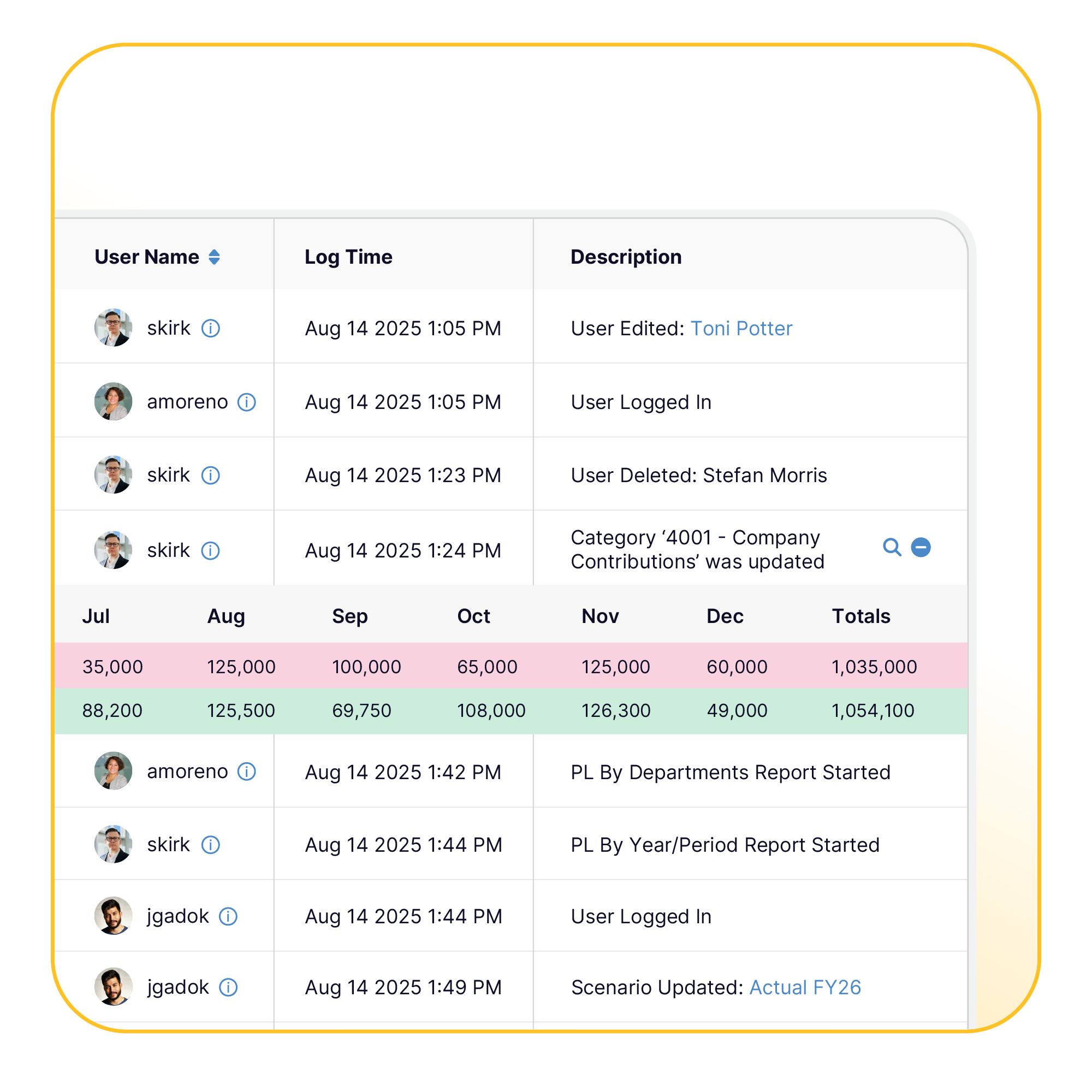
Grant reporting demands precise allocation tracking and a complete audit trail. With Budgyt, you click any number and see the breakdown behind it: every allocation, every calculation, all traceable from the summary to the transaction level. When an auditor points to a line item and asks how you calculated it, the answer is on screen, not buried in a spreadsheet you have to reconstruct.
Restricted versus unrestricted expenses stay clear, separate, and auditable. Grant-specific reports are exported in the formats funders require, and historical data stays accessible for grant renewal applications.
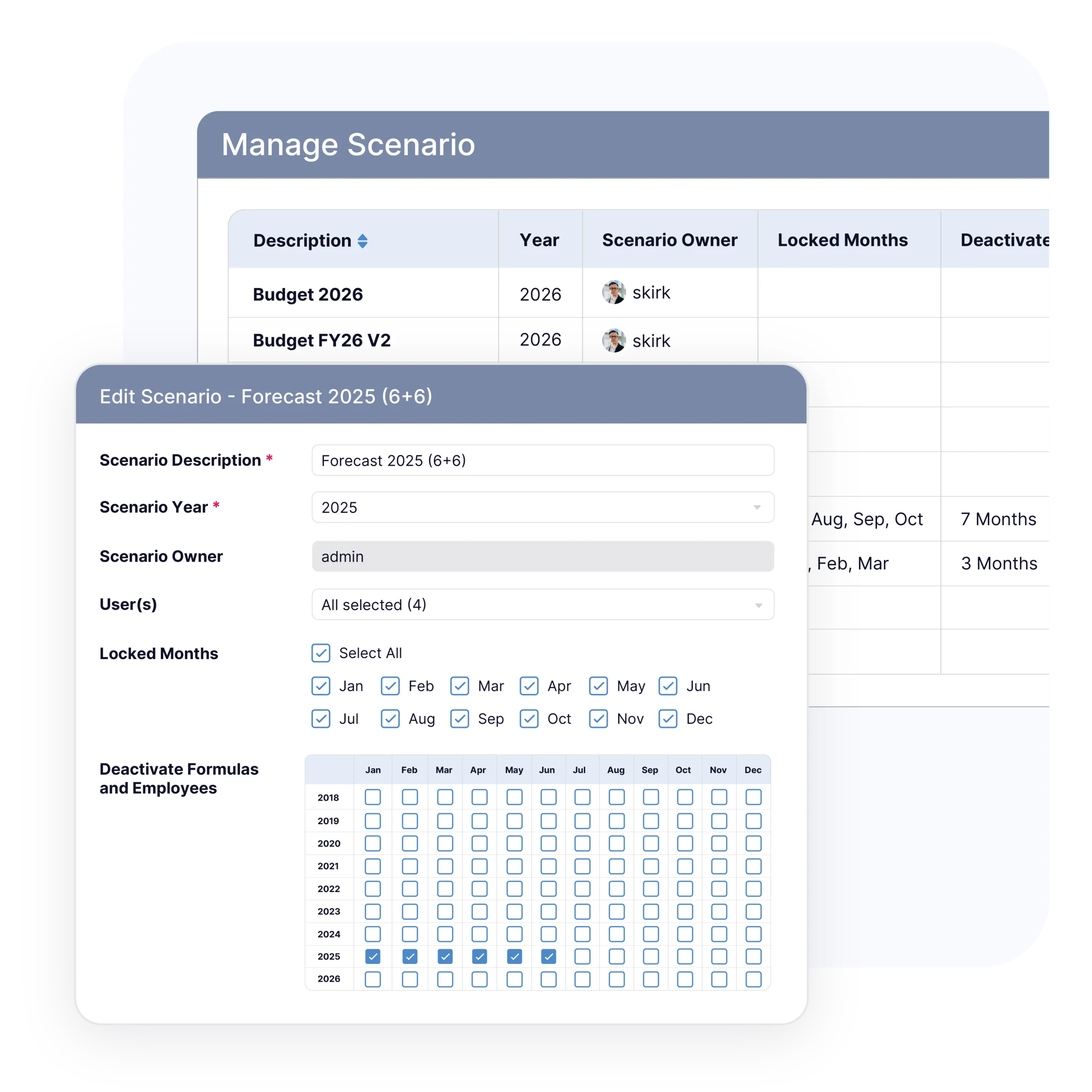
Funding shifts during the year. Grants get modified, new funding arrives, and a static annual budget is obsolete the moment it does. Update allocations instantly when grant terms change, run scenario planning for different funding outcomes, and see which programs are affected. Customize the funding period by fiscal year, calendar year, or across years, and update the forecast in hours rather than spending the week scrambling.
For scenario planning and variance analysis across the whole organization, see nonprofit FP&A software.
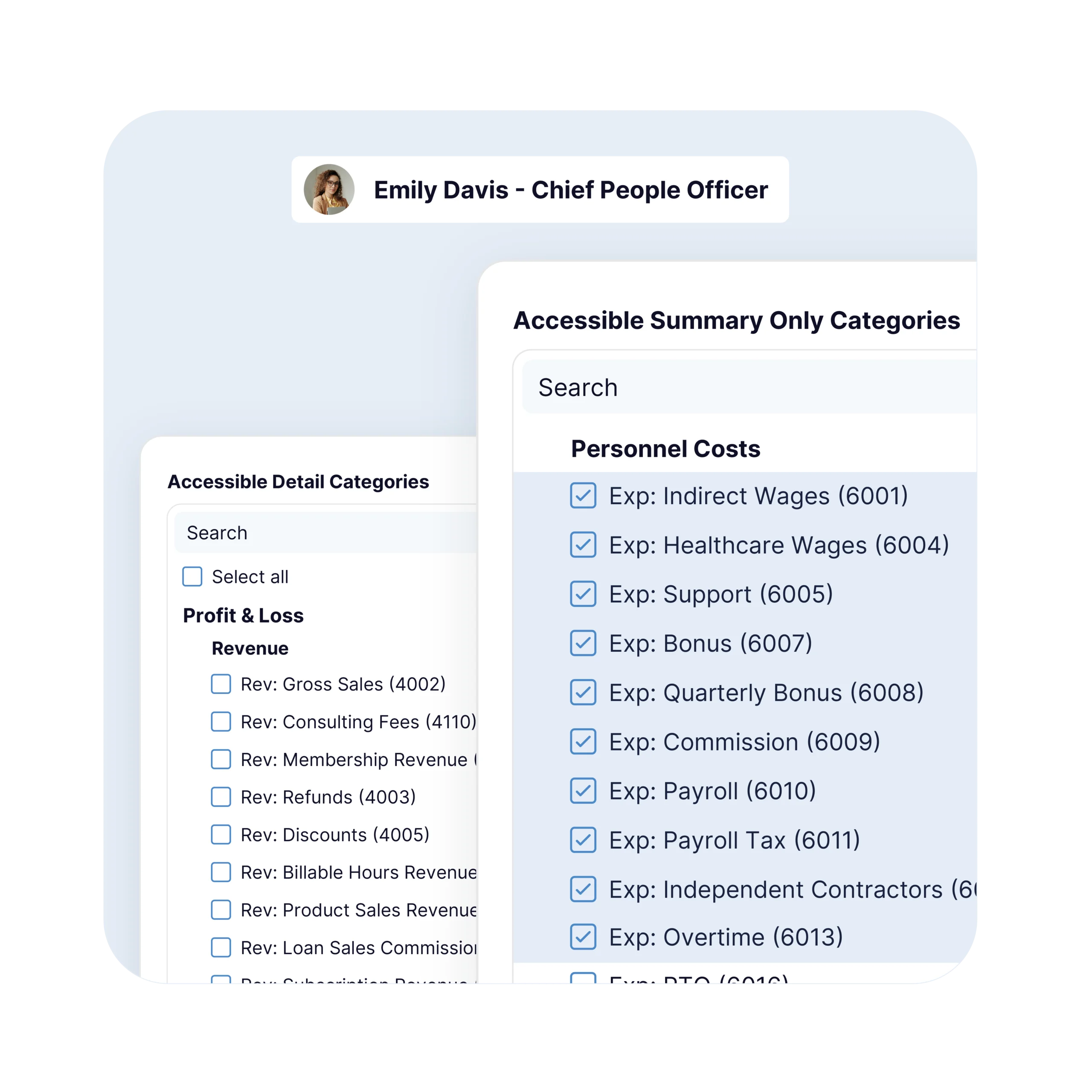
Program and department heads build their own program budgets directly and see their total allocations, while individual salary information stays confidential. Granular permissions give each contributor the access they need and nothing more, so program directors can participate without exposing sensitive data or breaking the master budget.
Your complete grant-funded budgeting lifecycle, from allocation planning to compliance reporting to reforecasting, in one platform.
Set payroll percentages across multiple grants and programs without the broken formulas and allocation errors that come with managing it in spreadsheets.
Import actuals directly and compare grant spending side by side. Click any variance to see specific vendors, employees, or program costs.
Update allocations instantly when grants are modified, or new funding arrives, so you’re working from funding reality, not a static budget.
Budgyt fits nonprofits where funding comes from multiple sources and staff costs are split across them. That includes organizations with:
United Way swapped Excel for Budgyt to manage cost re-allocation across the many charities it serves. A clearer view of its budgets revealed fundraising revenue falling and government grant revenue rising, showing the team which grants were worth chasing. Read more in our case study
Grant-funded organizations often pay for software out of limited administrative or indirect cost allocations, and the purchase still has to clear the same procurement threshold as anything else. Budgyt is $399/month or $4,788/year, below the threshold most nonprofits set for committee review so that a grant-funded team can approve it within a normal budget cycle. Unlimited users are included, so bringing in every program lead who manages a grant incurs no per-seat cost.
Onboarding maps your existing grant structure into Budgyt: the grants you track, the payroll allocation percentages across staff, and the restricted and unrestricted funds you report on. Database setup is handled via API mapping, so most customers are fully functional within about two weeks, with no server installations and minimal IT involvement. Same-day support is included, alongside a knowledge base of articles and videos.
Grant budgeting software handles the budgeting and reporting work specific to grant-funded organizations: allocating payroll and costs across multiple grants by percentage, tracking restricted versus unrestricted funds, maintaining an audit trail for funder reporting, and reforecasting when funding changes. It does what general budgeting tools and accounting systems don’t: manage grant-by-grant allocation at the level an auditor expects.
QuickBooks is your accounting system; it records what happened. Budgyt is your budgeting and forecasting layer; it plans what will happen and allocates it across grants. Budgyt connects to QuickBooks so actuals flow in, and you build forward-looking grant budgets on top of them. They work together rather than replacing each other.
Enterprise FP&A platforms can handle grant allocation but are built for organizations with a dedicated FP&A function, start around $25,000 a year, and take months to implement. Budgyt delivers the grant allocation, audit trail, and reforecasting capability nonprofits need at $399/month, below most procurement thresholds, with implementation in about two weeks.
Yes. Set percentages once and split a single salary across multiple grants and programs. When funding changes, allocations update across your reports without rebuilding formulas, and the full allocation history stays auditable.
Yes. Direct integrations with QuickBooks, NetSuite, Sage Intacct, and Microsoft Dynamics 365 Business Central, with manual GL import supported for other systems. Actuals flow into Budgyt, so budget versus actuals stays up to date.
Yes. Granular permissions allow program and department heads to build and view their own program budgets, while individual salary information remains confidential.
Build indirect or overhead allocations into each grant budget as a percentage or a fixed amount, keep them separate from direct costs, and show how each figure was calculated in the audit trail. When a rate changes, update it once, and the affected grant budgets adjust.
Yes. Restricted and unrestricted funds are tracked separately and reported by fund type, so you can show a funder only their restricted dollars while still rolling everything into the organizational budget.
Yes. Set each grant’s period by fiscal year, calendar year, or across multiple years, and report on each one against its own timeline rather than forcing everything into a single twelve-month window.
Every allocation and calculation is traceable from the summary down to the transaction, including how a cost was split across grants and when an allocation changed. Grant-specific reports are exported in the formats funders require.