If you manage grant-funded programs, you already know the drill. Reporting season arrives, and your finance team disappears into a spreadsheet labyrinth for two or three weeks. They’re tracing payroll allocations through hidden tabs, rebuilding reports because a funder changed requirements, and praying that nobody overwrote a formula in the master file.
Those weeks aren’t just an inconvenience. They’re time stolen from your mission. And the reporting itself isn’t where the problem starts. It starts with how nonprofits budget around grant spending cycles. Get that right, and reporting takes a fraction of the effort.
Most nonprofits build annual budgets. Most grants don’t care about your fiscal year. A federal grant might run October to September. A foundation grant could cover 18 months starting in March. A state contract might operate on a calendar year with quarterly reporting.
When you’re managing ten or twenty grants at once, each with its own start date, end date, spending restrictions, and reporting cadence, an annual budget becomes a rough approximation at best. The organizations that handle grant reporting efficiently have figured out something that sounds obvious but rarely gets implemented: budgeting by grant period matters more than budgeting by fiscal year alone.
Budget by grant period, not just fiscal year
Every active grant should have its own budget timeline. If a two-year federal grant starts in October, you need to track spending against that grant’s full period, not just the portion that falls within your current fiscal year. Most Excel-based budgets are structured around a single twelve-month window, which makes it difficult to see how grant spending looks across the full award period.
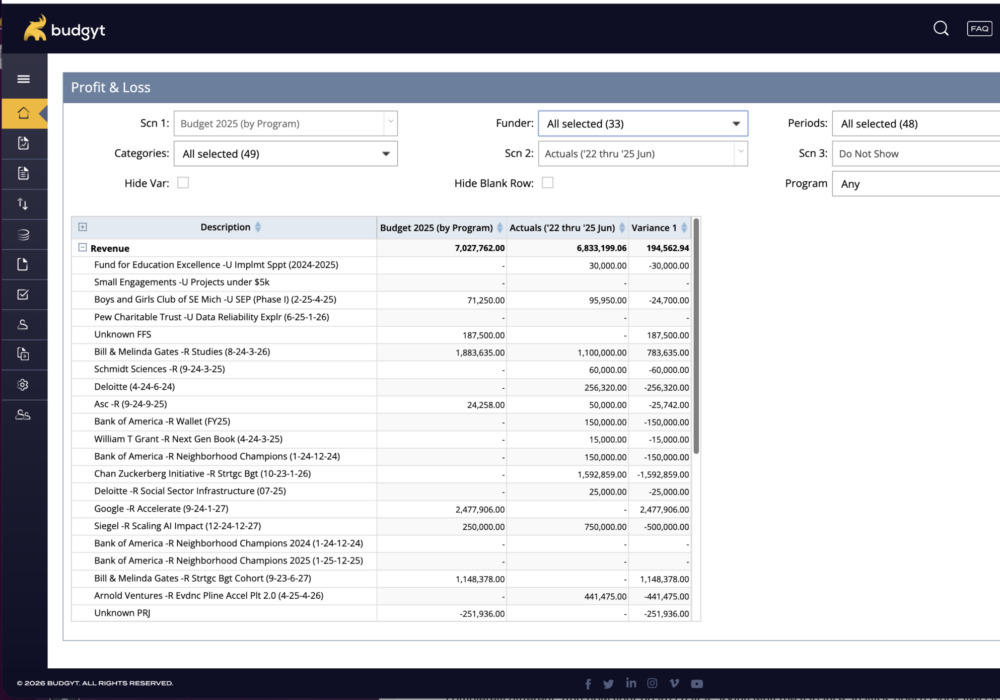
The practical step: set up your budget so you can pull budget-to-actual reports by fiscal year, calendar year, and individual grant period. If your budgeting tool can’t accommodate custom funding period ranges, you’ll spend hours manually slicing data every reporting cycle.
Separate restricted and unrestricted tracking from day one
Restricted funds from grants must be tracked separately from unrestricted revenue, and the separation needs to be built into your budget structure, not layered on top during reporting. When restricted and unrestricted funds are mingled in a single budget view, your team spends reporting season doing detective work, trying to figure out which dollars went where. That’s one of the biggest reasons grant reporting takes weeks instead of days.
Build in a regular reforecasting cadence
Grant funding doesn’t arrive in neat, predictable installments. A funder might delay a payment by three months. A renewal might come in at 80% of the original amount. A new grant might land mid-year, shifting your cost allocation overnight.
Annual budgets become obsolete the moment any of this happens. A rolling forecast approach works far better for grant-funded organizations. Update your projections monthly or at minimum quarterly. Three months of actuals plus nine months of updated forecast gives you a far more accurate picture than a twelve-month budget that was outdated by February. But reforecasting only happens regularly if it’s fast enough to be routine, not a project.
Plan for funding uncertainty with scenarios
What happens if your largest grant isn’t renewed? What if a funder cuts your award by 30%? Most nonprofit finance teams face some version of these questions every quarter. Building multiple budget scenarios, each reflecting a different funding outcome, lets you answer board questions with confidence and make program decisions quickly when funding shifts.
Keep audit-ready allocation records throughout the year
The worst time to reconstruct your allocation methodology is during an audit. But that’s what happens when payroll allocation records live in disconnected spreadsheets that get rebuilt every time a grant changes. Maintain a continuous record of how costs are allocated across grants instead, with your allocation percentages, the logic behind them, and any adjustments traceable at any point in the year, not just when a report is due.
Roughly 70% of a typical nonprofit’s budget is personnel costs. And in a grant-funded organization, those personnel costs rarely belong to a single funding source. One program director might be 40% funded by a federal grant, 35% by a foundation, and 25% by unrestricted funds. Multiply that by every employee in the organization, and you’re managing hundreds of allocation calculations that have to be perfect for every funder report.
In Excel, that means hundreds of interconnected formulas. Change one grant’s allocation, and you need to trace every formula that references it, update every linked tab, and verify that nothing broke. Grant reporting takes weeks not because the reports themselves are complex, but because validating the underlying payroll data is slow, manual work. And allocation errors don’t just create inaccurate reports. They put funding relationships at risk.
The nonprofits that have cut grant reporting from weeks to days didn’t find a faster way to do the same thing. They changed the underlying process. Here’s where the structural changes above start to pay off.
Automated payroll allocation
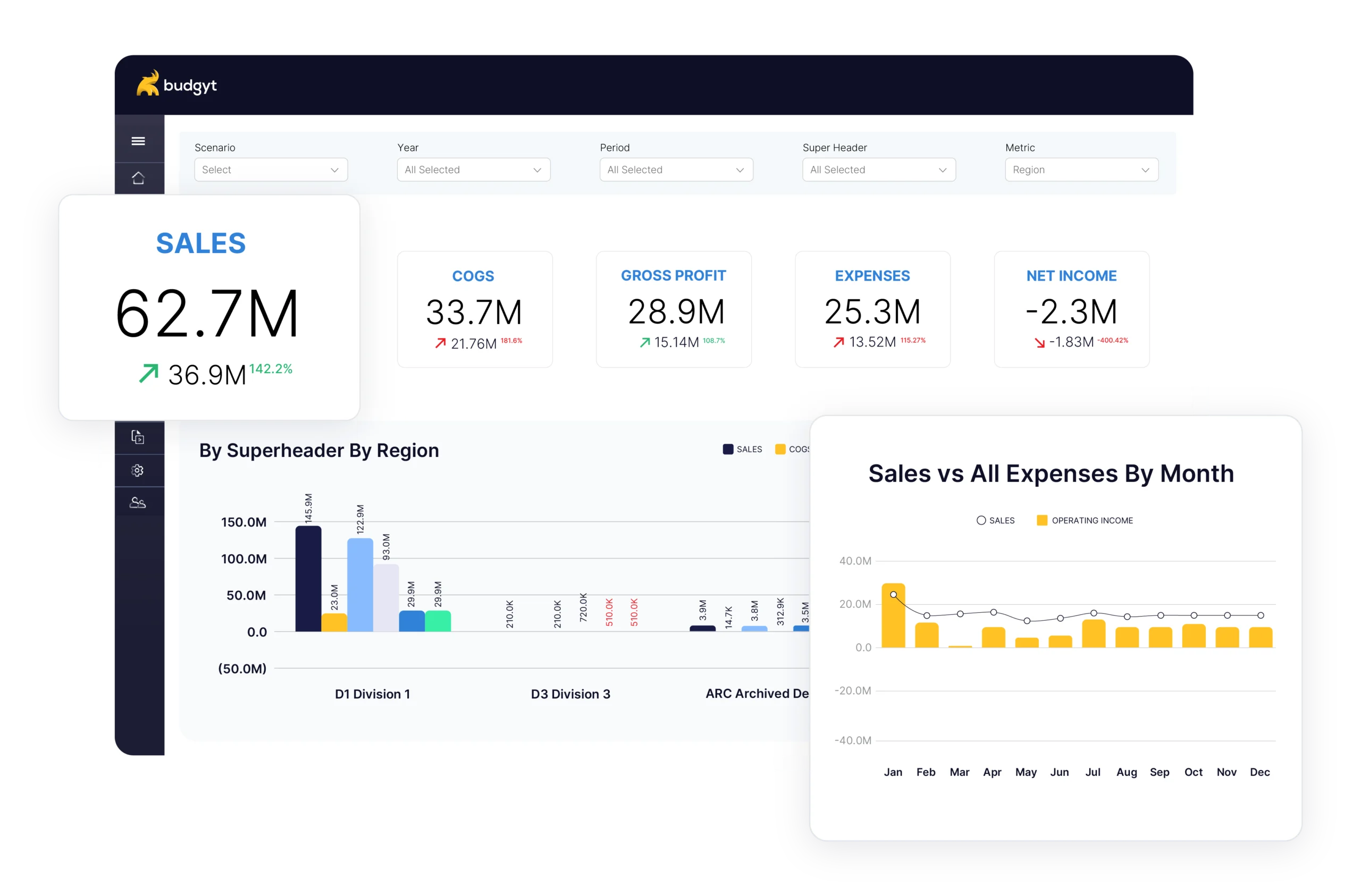
Budgyt lets you set payroll allocation percentages once for each employee across their respective grants and programs. When a grant changes or an employee’s allocation shifts, the update flows through every report automatically. No rebuilding formulas, no hunting for broken links, no weekend work before a Monday deadline. (Learn more about Budgyt for nonprofits.)
Instant audit trails
You’re in an audit meeting. The auditor points to a line item and asks how you calculated $47,000 in allocated payroll costs for a specific program. In Excel, you’re flipping through hidden worksheets, trying to remember which formula links to which tab. In Budgyt, you click the number and see the full breakdown: every allocation, every calculation, from summary level down to individual transactions. That’s the difference between a 20-minute awkward silence and a five-second answer.
Grant-specific report exports
Different funders want reports in different formats, covering different time periods, with different levels of detail. Building a custom report for every grant, every quarter, in Excel is one of the most repetitive tasks in nonprofit finance. Budgyt pulls from the same underlying data and supports custom funding period ranges, so you can generate budget-to-actual comparisons by fiscal year, calendar year, or across years to match each funder’s requirements without rebuilding anything.
Funding change management
When a major funder cuts your grant by 25%, the first question from your board will be: “Which programs are affected, and by how much?” In Excel, answering that could take days of remodeling. Budgyt’s scenario planning lets you model the impact the same day, see which programs take the hit, and present options to leadership before the next board meeting. Rolling forecasts adapt when funding changes, so your budget reflects current reality rather than a plan that was outdated months ago.
You need program directors to understand and manage their budgets. But sharing the full budget workbook means exposing individual salary data. Many nonprofits solve this by keeping program directors out of the process entirely, which means the finance team does all the work and program leads have no ownership over their numbers.
Budgyt handles this with permission controls that let program heads see their total budget allocations and track spending, while individual salary information stays confidential. Department heads build their program budgets directly in the platform with visibility into program costs and funding sources, but without access to sensitive compensation data.
When Jason Kempt joined United Way as Senior Director of Finance, he inherited over-complicated spreadsheets riddled with errors across multiple departments. Too many cost centers, too many GL codes, and a budgeting process spread across various Excel files. His team spent days consolidating data just to see bottom-line impact. (Read the full United Way case study.)
After switching to Budgyt, all four VPs adopted the platform immediately. The marketing VP said she actually enjoyed the budget process for the first time. The board praised the collaborative approach. Instead of dreading budget season, the team could focus on what the numbers meant rather than whether the numbers were even right.
Katherine Machel, Director of Finance at Technology Access Foundation, put it this way when describing Budgyt’s integration with QuickBooks: “You never want to give all employees access to QuickBooks Online, so this is the perfect tool to give them the data they need, without them being able to access everything.”
That balance, giving the right people the right data without compromising security, is what makes collaboration possible in grant-funded organizations.
The nonprofits that report in days instead of weeks share a few habits: they budget by grant period, they reforecast regularly, they track restricted and unrestricted funds separately from the start, and they maintain audit-ready allocation records throughout the year.
Budgyt was built for this kind of work. It integrates with QuickBooks, Sage Intacct, NetSuite, and other major accounting platforms, so your data flows in without manual entry. It handles payroll allocation across multiple grants automatically, and it gives you rolling forecasts, scenario planning, grant-specific reporting, and audit trails from summary to transaction level. For a deeper look at how all of this fits together, see our complete guide to nonprofit budgeting.
And you get back the weeks you’ve been losing to spreadsheet chaos. That’s time your team can spend on the work your organization was created to do.
You manage millions of dollars. You make decisions affecting dozens of employees. You report to boards with fiduciary responsibility.