You built a clean budget model for your healthcare network. Every formula works. Nursing, clinical, administrative, and facilities departments all roll up correctly across your clinic locations. You’re proud of it, and you should be. It took weeks.
Then you sent it to your department heads for input. The nursing director accidentally deleted a row. The facilities manager added a column that broke your VLOOKUP. Someone in administration changed a formula “to make it easier to understand.” And now your consolidated budget is throwing #REF errors across every linked tab, right as patient volumes are shifting and you need to reforecast staffing costs across every department.
If you’re managing healthcare budgets with complex departmental structures, you know this story too well. And if you’re running finance for a multi-site nonprofit with programs and grants that cut across departments, replace “patient volumes” with “grant funding changes” and the pain is identical.
A typical budget model has 150 accounts and 15 departments. Multiply those by the rollup formulas required to consolidate them, and you’re staring at 8,000+ individual formulas, each one a potential point of failure. That’s for a single facility. Now add a second location with the same departmental structure, and you’ve doubled the formula count while also introducing cross-site links that can break independently.
The complexity isn’t additive. It’s exponential. Every new department doesn’t just add one more tab. It multiplies the formulas that need to be correct, the allocations that need to recalculate, and the number of people who can accidentally destroy your consolidation.
Healthcare organizations feel this more acutely than most because of how many departments are involved. Nursing, clinical services, administration, facilities, pharmacy, lab, radiology — each with its own cost structure, staffing model, and allocation requirements. A nonprofit adding a new program creates the same cascading complexity: another set of grant allocations, another set of payroll splits, another department’s expenses that need to be tracked by funder.
Multi-department healthcare budgets are uniquely punishing in Excel because the variables never stop moving.
Patient volumes drive staffing budgets, supply costs, and revenue projections across every clinical department simultaneously. More patients means higher costs in nursing and pharmacy. Fewer patients means the same fixed costs in facilities and administration spread across fewer people. When census numbers shift, the impact ripples across departments and up through your consolidated budget. In Excel, that means manually reworking every linked formula and every summary report, while hoping nothing cascades incorrectly.
Cost allocation between departments makes the problem worse. Insurance costs divided by headcount across every department at every location. IT expenses allocated by revenue. Shared services distributed using different methods depending on the cost type. Each allocation method requires its own set of formulas, and in Excel, those formulas don’t update dynamically when the underlying data changes. They break. Or they calculate based on last quarter’s headcount because nobody remembered to update the reference table.
Regulatory compliance adds another layer. When an auditor asks you to show exactly how you calculated the variance in surgical supplies across three departments, you need to trace every number back to its source. In Excel, you’re hunting through hidden worksheets while your credibility dissolves in real time. Every variance needs a defensible explanation, every allocation needs documentation, and every number needs a complete audit trail. Excel doesn’t give you that. It gives you tabs.
Capital equipment planning compounds all of it. Medical equipment depreciation schedules, replacement timelines, and financing decisions span multiple departments and fiscal years. When you’re planning capital expenditures across departments that each have different equipment ages and different needs, the cross-referencing required in Excel becomes a maintenance burden that takes time away from the actual analysis.
If you’re running finance for a nonprofit with multiple programs and departments, the structural problem is the same even though the specifics differ.
Instead of patient volumes, you’re dealing with funding changes. A major grant gets modified in June. New funders come on board in September with different reporting requirements. Government contracts shift their allocation rules mid-cycle. Each change ripples across every department and program in your budget, and in Excel, each ripple means manual formula updates across every linked file.
Payroll allocation is where it really gets painful. When 70% of your budget is staff costs split across multiple grants and departments, you’re managing thousands of interconnected formulas. One employee works 50% on Program A and 50% on Program B. Their benefits need to split the same way. Their overhead allocation follows a different method. Multiply that by every employee across every department, and you’re deep in a formula management crisis that Excel was never designed to handle.
And just like healthcare, nonprofits face audit scrutiny. Funders want to know exactly how you allocated costs across programs and departments. Board members want to see which programs are performing and which are struggling. In Excel, answering those questions means digging through tabs and promising to “get back to you”, which is never the answer anyone wants to hear.
“Which department is driving that variance?” Whether it comes from a board member, a funder, or a regulator, this question exposes the fundamental limitation of multi-department budgeting in Excel. You can’t drill from a consolidated summary to the specific department, cost center, and line item driving the number. Not quickly, not confidently, and not without tab-hunting and cross-referencing and hoping you’re reading the right version of the right file.
For healthcare CFOs, this question comes with career consequences. For nonprofit finance directors, it comes with funding consequences. The inability to answer it in real time undermines the trust you’ve worked hard to build.
At Budgyt, we built a platform specifically for multi-department financial planning, because we lived the Excel nightmare ourselves as CFOs before we decided to solve it.
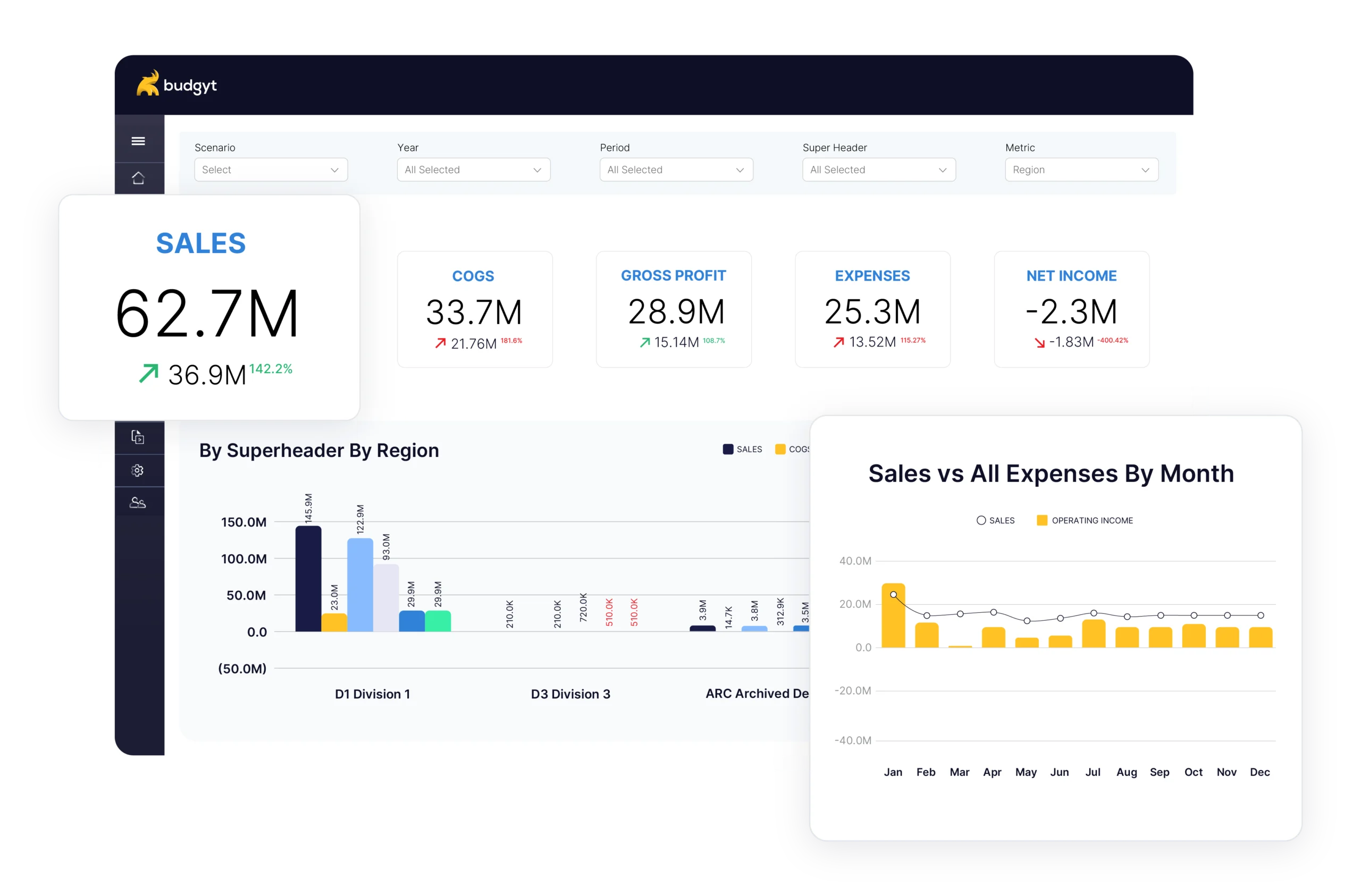
The core difference is structural. Every department’s budget lives in a single, unified database. Department-level P&Ls roll up to consolidated reporting without a single manual formula. Every clinic, every department, every service line, every grant, every cost center in one place. When the board asks which department is driving a variance, you click twice and show them. When the auditor wants to trace how costs flow between departments, you click twice and show them that too. Complete audit trails are built into the foundation.
Collaboration works differently as well. Permission controls mean the nursing director sees nursing, the program manager sees their program, and nobody can accidentally delete your formulas or overwrite someone else’s data. The database architecture makes it impossible for contributors to break the model, no matter how many departments are contributing.
Reforecasting stops being a rebuilding exercise. When patient volumes shift and one department’s staffing costs need updating, change the forecast there and the impact flows through your consolidated budget instantly. When grant funding changes mid-year for a nonprofit, the same thing happens across every affected department and program. Census-based reforecasting, funding-change reforecasting, unlimited scenarios to model different outcomes, all without touching a formula.
Cost allocation works the way it should. Allocate any expense across departments based on headcount, revenue, or any metric you choose. Shared service allocation methods work reliably, and when headcount shifts or census numbers change, allocations recalculate automatically. Healthcare organizations get volume variance analysis and forecasting, medical equipment depreciation schedules, and cost allocation across nursing, clinical, and administrative cost centers. Nonprofits get payroll allocation across multiple grants and programs with the audit trails funders require.
And if your locations run on separate QuickBooks files or separate accounting systems, Budgyt’s API handles mapping and consolidation automatically. Actuals flow in regularly so you can update rolling forecasts based on real performance.
Over 350 CFOs have already made this move, and most were up and running within a week. Not the months of implementation that enterprise solutions demand. The interface was designed by CFOs who spent years in Excel, so your team will recognize the layout and start contributing immediately.
At $425/month with unlimited users, there’s no per-seat penalty for making budgeting collaborative. Invite every department head, every clinic manager, every program director who needs visibility. The platform scales as you add departments, locations, and entities.
Your next board meeting is coming. The next audit is on the calendar. The next funding change is inevitable. Book a demo and see how Budgyt replaces multi-department Excel chaos with department-level P&Ls, consolidated reporting, cross-department resource allocation, and drill-down variance analysis.
You manage millions of dollars. You make decisions affecting dozens of employees. You report to boards with fiduciary responsibility.