
NetSuite API Connection

How the API Connection Works

Budgyt connects directly to NetSuite through a deep read-only API. It pulls the full COA hierarchy, department and dimension structures, and GL transactions – including memo fields, vendors, customers, and categories – straight into your budget environment.

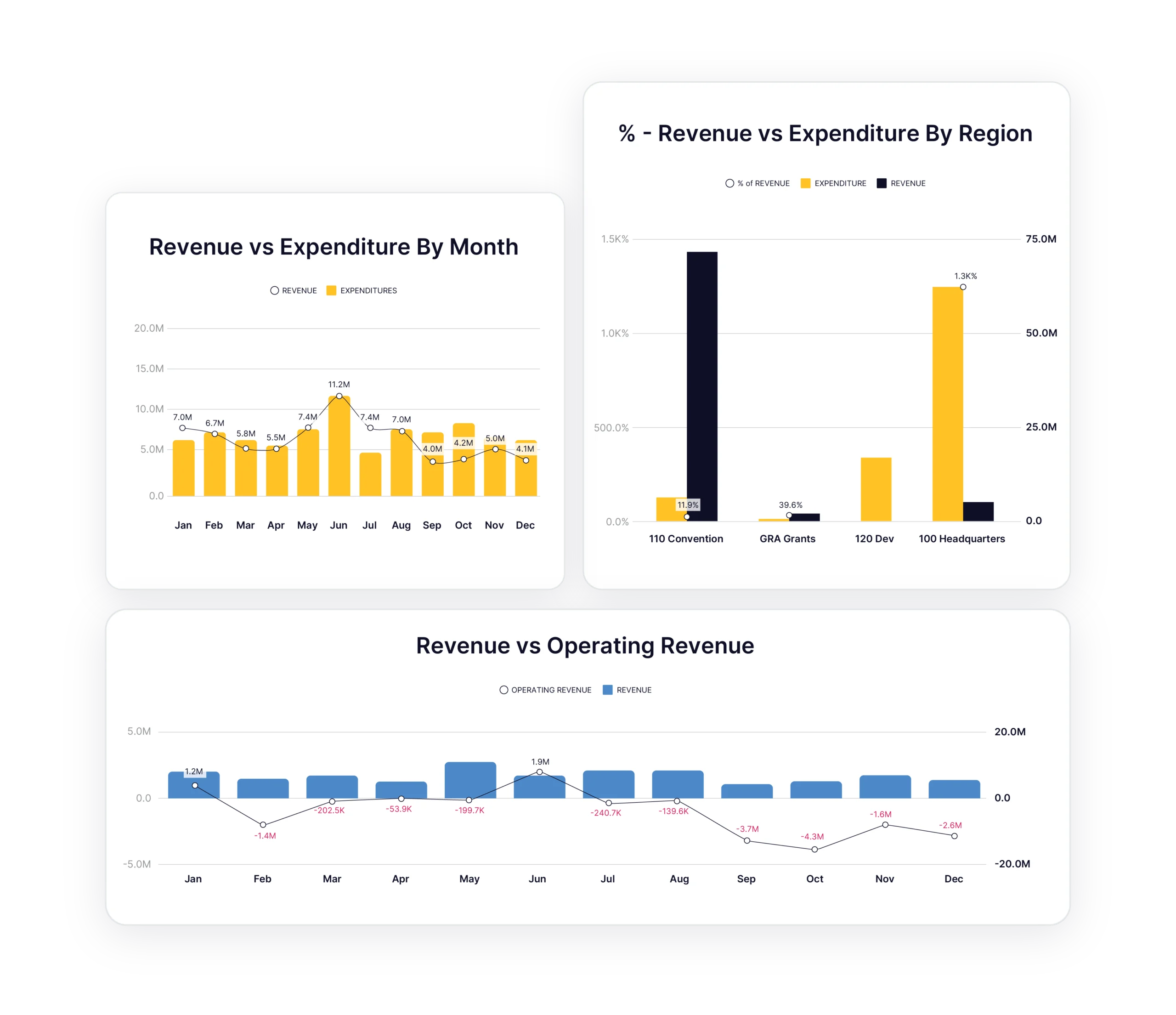
Import When You’re Ready

NetSuite data flows into Budgyt when you pull it. You control when to import actuals, typically after the monthly close. Log in and pull the data in seconds when you’re ready. No scheduled syncs running overnight, no stale data sitting in a queue.

From First Import to Monthly Actuals

Import the entire financial structure once to set up your budget environment. After that, pull actuals whenever you need them. Posted to the wrong account in NetSuite? Make the correction and reimport right away. No waiting for a scheduled overnight sync. From there, actuals are ready for forecasting without an Excel file in sight.

How Budgyt Maps Your NetSuite Data

Automatic COA Mapping

Budgyt reads the full account hierarchy from NetSuite and recreates it automatically. Sub-accounts, parent-child relationships, and rollup structures all come through intact. No manual re-entry, no mapping tables to build or maintain.

Departments, Dimensions, and Rollups

NetSuite departments and dimensions (including sub-levels) flow directly into Budgyt’s structure. Budget and report by the same organizational layers you already use in NetSuite. Rollups at every level are handled automatically.

Subsidiaries, Locations, and Custom Dimensions

NetSuite dimensions map into Budgyt for organizational structure. Use locations, subsidiaries, vendors, and customers as budget dimensions. Budgyt maps these tracking categories automatically, so you can budget and analyze by any dimension already in NetSuite.

Drill Down to Vendor and Customer Level

Click any variance to drill down and see vendor/customer, date, memo, and dimension detail from NetSuite transactions. No need to go back into NetSuite to trace what’s driving a number.

Controlled Data Import

Any Date Range, Any Time

You’re not limited to a fixed lookback window. Import three years of history for trend analysis, or pull just one quarter for a targeted reforecast.

Summary or Detail, You Decide

Control the level of detail at a category level to avoid unnecessary clutter. You choose timeframes and categories for a complete historical perspective, without drowning in transaction-level noise where you don’t need it.

Pull Actuals After Your Close

After the monthly close, pull actuals in seconds. From there, compare budget to actual side-by-side and update your rolling forecast with real numbers.

Forecast Beyond What’s in NetSuite

Most APIs only allow you to work with the structure that already exists in your accounting system. Budgyt’s API lets you add new categories, departments, and dimensions for forecasting without creating them in NetSuite until they actually happen. When they’re ready, you simply map them across.
This keeps your accounting system of record clean and avoids unnecessary clutter. Since NetSuite charges by the number of dimensions, it saves money too. Most competitors don’t offer this.

Data Security

Read-Only Access

Budgyt connects on a deep read-only level to NetSuite. We pull information for budgeting while the source system remains completely untouched. We never modify NetSuite data. The accounting team’s books stay exactly as they left them.

Isolated Infrastructure

Hosted on Amazon Web Services with complete database isolation. Each customer gets their own dedicated database that never mixes with anyone else’s data. Built by ISO 27001 and ISO 9001 certified developers.

Real-World Applications

How Finance Teams Use the Connection

Monthly Actual Updates

Import actuals from NetSuite and update rolling forecasts based on real performance. Hours of manual data entry reduced to a few minutes each month.

Multi-Entity Consolidation

Consolidate multiple NetSuite subsidiaries into one unified budget. The API handles mapping and consolidation automatically across entities, divisions, and regions.

Rapid Growth Management

Add new departments and cost centers in NetSuite and see them automatically appear in Budgyt for budget planning. No manual setup required as the organization scales.

Rolling Forecast Updates

Actual performance data flows in from NetSuite regularly, allowing you to update forecasts based on real trends rather than outdated assumptions.

Multi-Location Operations

Roll up budgets across locations and subsidiaries into a single view without losing the detail on each individual site.

Scenario Planning

Run best-case, worst-case, and most-likely scenarios using real NetSuite data as the foundation. Compare outcomes side by side and present the board with defensible options.

What Our Customers Say

Budgyt is extremely user-friendly and packed with powerful features. It enables our department head to access their data and collaborate anytime, anywhere.

Harinda Induruwa, Senior Project Manager

Getting Started

Three Ways to Explore

Connect via API

Integrate directly with NetSuite for instant access to real business data. Setup takes minutes, not months.

Start From Scratch

Set up a budget structure manually and build from the ground up in Budgyt.

Explore with Sample Data

Use pre-populated sample data from your industry to see example dashboards, scenarios, formulas, and modules in action.

NetSuite Integration FAQs

Does Budgyt integrate with NetSuite?

Yes. Budgyt connects directly to NetSuite via a deep API that imports the complete Chart of Accounts hierarchy, departments, dimensions, and GL transactions automatically.

How often does data sync?

You decide. Most finance teams pull actuals once a month after closing their books, but you can import on demand any time.

Can I import historical data?

Yes. Import any date range, not just recent months. Many customers import two to three years of history for trend analysis and realistic forecasting.

What if I have multiple NetSuite subsidiaries?

Connect multiple NetSuite entities and consolidate budgets in Budgyt. The API handles mapping and consolidation across subsidiaries automatically.

Will this modify my NetSuite data?

Never. Budgyt connects on a read-only basis. We import data for budgeting, but never write back to or modify NetSuite data.

How long does setup take?

The API maps your accounts, departments, and dimensions in minutes. Most customers are building their first budget the same day they connect.

Explore All Budgyt Features

See how Budgyt supports your complete budgeting lifecycle

Build

Create bulletproof budgets with your entire team.

Learn more

Analyze

Drill down into performance with granular variance analysis.

Learn more

Reforecast

Update forecasts monthly with rolling scenarios.

Learn more

Integrations

Connect seamlessly with leading accounting platforms.

Learn more

Support

Same-day support and comprehensive training

Learn more

Security

Enterprise-grade security you can trust.

Learn more