It’s 2 am, you’re staring at your budget, hunting for the broken formula that’s throwing off your entire consolidation. Your board presentation is in six hours.
Sound familiar?
You’re not alone. Excel is everywhere because it’s familiar, flexible, and has been used forever. Need a business budget template? Excel. Managing monthly budgets across departments? Excel. Tracking cash flow? Excel… until that one broken formula cascades through 8,000+ cells and surfaces during your board meeting.
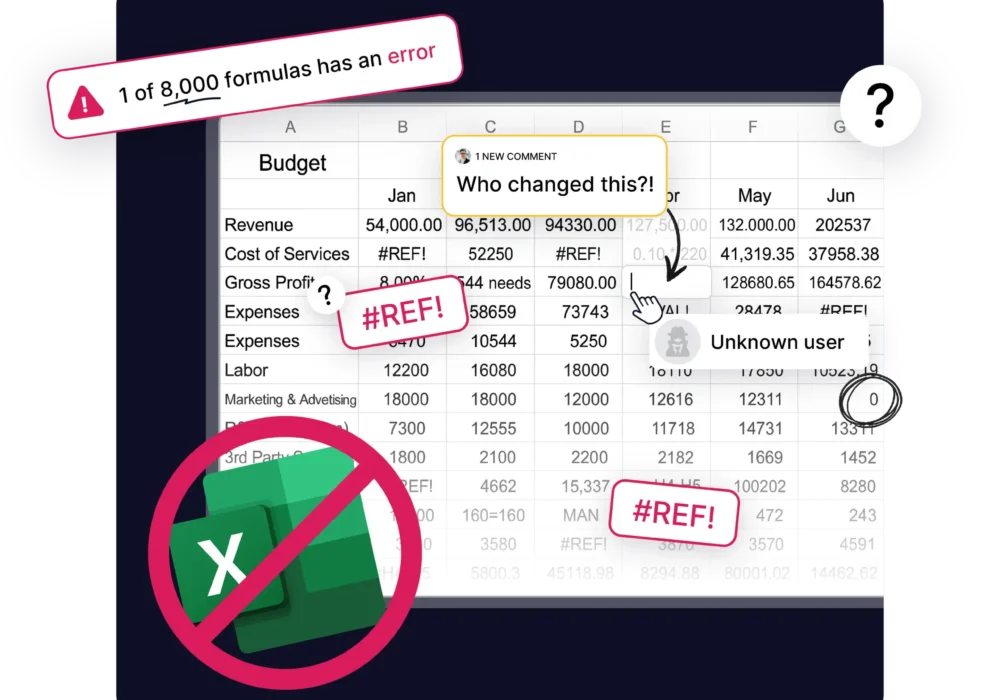
Here’s what nobody tells you: Your “simple” budget spreadsheet has over 8,000 rollup formulas, and every single one is a potential career risk.
But here’s the relief: you don’t have to accept Excel’s risks. And you definitely don’t have to disrupt your workflow to fix them.
This article shows you how to move beyond Excel business budgeting – keeping everything you love about budget templates while eliminating everything that keeps you up at night.
Let’s be honest about why Excel dominates business budgeting: it’s already installed on every computer, everyone knows how to use it, and it costs nothing extra. Sharing budgets with stakeholders means sending a .xlsx file that opens universally.
Need a startup budget template? A monthly expense planner? A cash flow forecast? Thousands of free Excel budget templates exist online for any scenario. You can build budget templates for any methodology – zero-based budgeting, driver-based planning, project budgets – all in the same familiar interface.
For organizations with straightforward finances, a well-designed Excel budget template works fine. The problems arise when complexity increases.
As businesses scale – adding departments, launching multiple products, managing complex cash flow – Excel budgets crack under pressure.
Formula chaos = Career risk
Your “simple” budget now contains 8,000+ interconnected formulas. Every single one has to be perfect. Your reputation is on the line every time you present.
That sinking feeling when you spot a #REF! error during your board presentation? That’s not just embarrassing, it’s career-threatening.
Version control nightmares
“Budget_2025_FINAL.xlsx” goes to department heads. Someone sends back “Budget_2025_FINAL_revised_v3.xlsx.” Another person is working on “Budget_2025_FINAL_v2.xlsx.”
Which version has the accurate numbers? Nobody knows. But the board meeting is tomorrow.
Collaboration that breaks things
When someone accidentally deletes a row or modifies a formula “to make it easier to understand,” they break calculations throughout your entire budget.
You’re spending your weekend rebuilding what should have been a 5-minute update.
The audit question that kills credibility
“Can you show me how you calculated the $127,000 variance across your three locations?”
You’re clicking through hidden tabs, hunting through worksheets while everyone watches. Every second of silence damages your credibility in real-time.
Payroll allocation nightmares
When 70% of your budget is payroll split across departments or grants, Excel becomes a compliance risk. One employee working across three projects means multiple allocation formulas per month. Multiply by 20+ employees, and you’ve got hundreds of formulas that have to be perfect.
One allocation error = compliance violation. And Excel formulas break.
The reforecast that eats your life
Business conditions changed in March. It’s May, and you finally have time to update your forecast. Except “updating” means rebuilding because Excel doesn’t adapt; it breaks.
Two weeks of reforecasting work should take two hours.
The Excel tax nobody talks about
Add it up: Weekend formula fixes, board presentation anxiety, version control chaos, manual consolidation, constant worry that something’s wrong with your numbers.
This is the Excel tax. And it’s costing you more than money – it’s costing you sanity and professional confidence.
Use our calculator to find out how much Excel is actually costing your business.
The ideal budgeting tool needs a familiar interface with a minimal learning curve – if your team knows Excel, they should feel comfortable immediately. Budget calculations should never produce #REF! errors, regardless of who makes changes. Managing budgets across departments, divisions, or locations should happen automatically, not through manual consolidation.
Multiple users need to contribute simultaneously without version chaos. When actuals come in or conditions change, forecasts should update automatically. Every number should trace back to its source instantly for complete audit trails. Cash flow forecasting should be built in, not a separate spreadsheet.
Your chart of accounts should import automatically from QuickBooks, Xero, NetSuite, or Sage Intacct. And for stakeholders who still want spreadsheet reports, exports should maintain formatting.
This isn’t an impossible wish list. It’s exactly what Budgyt delivers.
Our founder, James McCoy, spent 16 years as a CFO. He experienced every Excel nightmare – the late-night formula fixes, the board meeting panic, the career-threatening broken formulas. He didn’t build Budgyt to solve theoretical problems. He built it to solve his own anxiety.
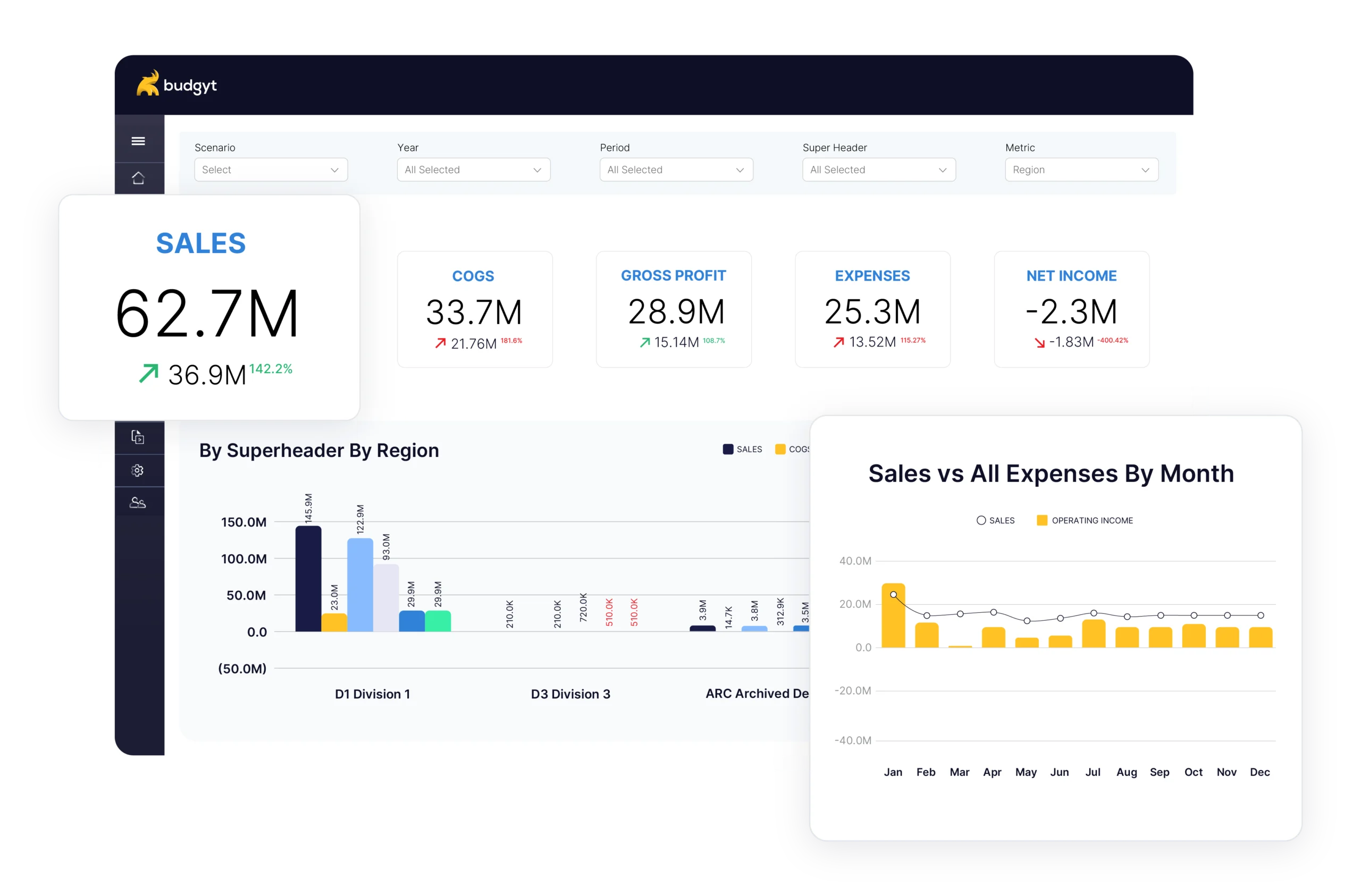
Unlike Excel (or Excel-based tools like Vena or DataRails), Budgyt uses a database where formulas cannot break. Your 8,000+ rollup formulas become bulletproof calculations. #REF! errors become impossible. The interface looks and feels like Excel – your team learns it in minutes – but behind that familiar experience is database reliability, not fragile formulas.
Budgyt connects to several accounting platforms. QuickBooks, Xero, NetSuite, Sage Intacct, Business Central – your chart of accounts and departments map automatically. Most budgeting software charges per user, but Budgyt includes unlimited users because budgeting should be collaborative, not expensive. No per-seat fees. Ever.
Allocating payroll across departments? Distributing overhead by revenue? Set the percentages once. They work forever. Update forecasts monthly with three months actual and nine months forecast. When conditions change, adapt in hours instead of rebuilding in weeks.
Budget vs. actual comparison happens automatically. Click any variance to drill down by vendor, customer, or department. From summary to detail in two clicks. When auditors ask, “Where did this come from?”, you click twice and show them. That 20-minute silence while you hunt through worksheets? Never happens again.
Moving from Excel to Budgyt doesn’t disrupt your workflow:
Step 1: Book a demo – See how your specific budget methodology translates into Budgyt.
Step 2: Optional: Get a free pilot of Budgyt
Step 3: Map your budget structure – Budgyt’s API automatically imports your chart of accounts, departments, and historical actuals.
Step 4: Build your first budget – Start with one department to test. What takes hours in Excel takes minutes in Budgyt.
Step 5: Enable collaboration – Invite department heads with granular permissions. Each sees only their relevant sections.
Step 6: Run parallel (optional) – Keep Excel alongside Budgyt for one cycle if you want extra confidence.
Step 7: Make Budgyt primary – Most organizations are fully operational within one week.
Implementation timeline: Days or weeks – not the 4-6 months enterprise FP&A software requires.
What changes when you move from Excel to Budgyt? No more #REF! errors. No broken formulas. No terror before board presentations. Everyone contributes directly, without version-control disasters or sensitive-data exposure.
What took weeks takes days. Budget building, consolidation, and variance analysis happen exponentially faster. Drill from summary to transaction level in seconds. Answer board questions immediately. Projections update automatically as assumptions change.
Update monthly based on actual performance – your projections stay relevant. Every number has a full audit trail. Answer regulator questions immediately. No weekend formula fixes. No midnight panic. Finance professionals report significantly improved work-life balance.
Over 350 organizations and 4,000+ users trust Budgyt daily because these benefits aren’t theoretical – they’re real.
You manage millions of dollars. You make decisions affecting employees and stakeholders. You report to boards with fiduciary responsibility.
Yet you’re still budgeting in a spreadsheet where one wrong formula can torpedo your reputation.
That’s absurd.
Budgyt gives you everything you rely on in business budget templates – flexibility, familiarity, comprehensive functionality – while eliminating the career risk, the 2 am panic, and the constant anxiety.
Here’s what changes:
✓ No more #REF! errors. Ever. ✓ No more version control chaos. ✓ No more weekend work fixing Excel. ✓ No more “let me get back to you” in board meetings. ✓ No more per-user fees. Unlimited collaboration. ✓ Implementation in days, not months.
Over 350 CFOs have made the switch. Everyone says, “Why did we wait so long?”
Your next board meeting is coming. How do you want to feel walking into that room?
Confident? Knowing every number is bulletproof?
Or anxious? Hoping nobody finds the broken formula?
You manage millions of dollars. You make decisions affecting dozens of employees. You report to boards with fiduciary responsibility.