
Direct Microsoft Dynamics 365 Business Central Connection

Transform Your Business Central Data Into Working Budgets

Direct API Integration

Connect Budgyt directly to Microsoft Dynamics 365 Business Central through our API. Your complete Chart of Accounts hierarchy, dimension structure, and GL transactions (including memo fields, vendors, customers, categories, and dimensions) are automatically imported into Budgyt. No more weeks spent building Excel templates.

Pull Data When You Need It

Import your Business Central data on your schedule, no automatic syncs, no CSV exports, no spreadsheet manipulation. You decide when to pull actuals, usually after closing your books each month.

Full Financial Structure Import

Map your entire Business Central financial structure once. Then pull monthly actuals for variance tracking and forecast updates. See immediately whether your actuals match your budget, streamlining your /month-end close. Your Business Central data becomes budget-ready instantly.

Intelligent Data Mapping

Business Central Structure Becomes Budget Structure

Chart of Accounts Hierarchy

Your Business Central Chart of Accounts – every account, sub-account, and hierarchy level – maps into Budgyt automatically. Your exact COA structure appears ready for budgeting. No manual re-entry required.

Dimension Tracking

Business Central dimensions and sub-dimensions are automatically mapped to Budgyt departments. Budget and track actuals using the same dimensional structure you use in Business Central – complete with automatic rollups at every level.

Custom Dimension Support

Map Business Central dimensions to Budgyt’s departmental structure. Add locations, vendors, and customers as additional budget dimensions. Your existing Business Central tracking categories become available for budgeting and variance analysis by vendor, customer, or location.

Vendor & Customer Detail

Pull vendor and customer tables from Business Central for granular variance analysis. Need to identify which vendors are over budget or which customers are exceeding revenue projections? The transaction detail is already imported.

Smart Transaction Import

Control What Data Flows Into Your Budgets

Flexible Date Ranges

Choose any date range for your imports. Import three years of historical data for trend analysis. Pull just last quarter’s actuals for year-end planning. You’re not limited to recent data.

Selective Category Import

Control the detail level through mapping settings. For each category, decide whether to import summary amounts only, include vendor/customer details with memo fields, or pull vendor/customer data without memo clutter.

Monthly Actual Updates

Import actuals when you’re ready to analyse performance. View budget vs. actual comparisons side-by-side, then adjust your rolling forecasts based on actual Business Central performance.

Transaction-Level Detail

Drill into any variance to see the underlying Business Central transaction details: vendor/customer, date, memo, and dimension information.

Budget Beyond Business Central

Plan for Future Growth

New Accounts & Departments

Create budgets for accounts and departments before they exist in Business Central. Planning a new revenue stream? Build the account structure and budget in Budgyt first, before updating your Business Central chart.  Then map the category or dimension in Budgyt to your BC element when it is created in BC.  Avoid cluttering your BC with false dimensions or categories.

Future Department Planning

Expanding your organisation? Budget for new locations or departments whilst maintaining connections to your current Business Central setup. When you eventually create these structures in Business Central, you can map Budgyt to them.

Budget Access Without Business Central Access

Department heads and managers can view their budget vs. actual data, drill into vendor-level variances, and update forecasts – all without accessing Business Central. Sensitive financial information stays protected whilst enabling true collaborative budgeting.

Read-Only Security

Your Business Central Data Remains Protected

Safe Connection


Budgyt’s read-only connection to Business Central pulls budgeting data without touching your source data. We never modify, create, or delete anything in Business Central.

Secure Permissions

Authorize Budgyt through Business Central’s standard permission system. Your Business Central administrator controls access completely and can revoke it at any time.

Isolated Database

Your Business Central data imports into a dedicated Budgyt database that’s yours alone. No customer data ever shares database space.

ISO Certified Hosting

ISO 27001 and ISO 9001-certified developers built Budgyt’s infrastructure. Business Central connections run on AWS enterprise infrastructure, with round-the-clock monitoring and a 99.9% uptime guarantee.

Real-World Applications

How CFOs Use Business Central Integration

Monthly Reforecasting

Pull Business Central actuals monthly and revise rolling forecasts based on actual performance. Tasks that took days of manual data manipulation now take minutes.

Multi-Year Planning

Import multiple years of Business Central history to spot trends and create realistic forecasts. Base your planning on actual historical performance rather than assumptions.

Department Accountability

Department heads compare their actual Business Central spending against the budget without accessing your Business Central system. Portal access maintains data security whilst enabling transparency.

Budget vs. Actual Analysis

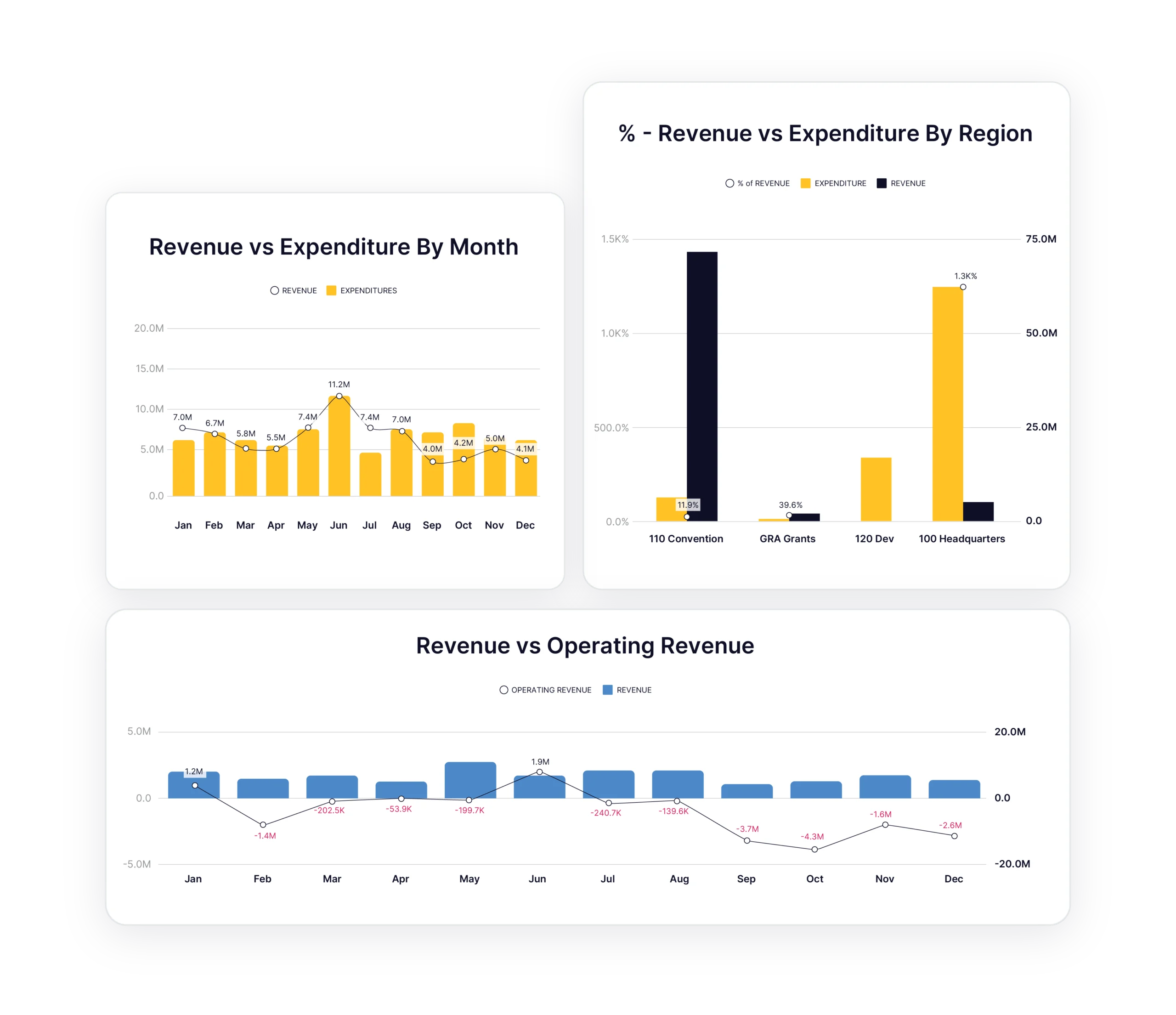
Compare budget to Business Central actuals at any level of detail. Start with summary views, then drill to transaction detail to identify exactly which vendors, dimensions, locations, or customers are causing variances.

Scenario Planning

Create multiple budget scenarios and test them against actual Business Central performance. Model different futures whilst remaining grounded in real financial data.

Powerful Board Reporting

Generate board-ready budget vs. actual reports with confidence. Every number traces directly back to Business Central transactions.

What Our Customers Say

Budgyt is extremely user-friendly and packed with powerful features. It enables our department head to access their data and collaborate anytime, anywhere.

Harinda Induruwa, Senior Project Manager

Getting Started

Three Ways to Connect

Option 1: Connect Your Business Central Account

  • Direct API connection to your Microsoft Dynamics 365 Business Central account
  • Complete data mapping automatically
  • Start budgeting with live data immediately

Option 2: Work With Sample Data

  • Explore Budgyt with industry-specific sample data
  • Review example budgets, dashboards, and variance analysis
  • Connect your Business Central system when  ready

Option 3: Let Our Team Help

  • Book a demo, and our team configures your Business Central connection
  • We’ll map your accounts and import your actuals
  • You’ll see your actual budget built in Budgyt during onboarding

Business Central Integration FAQs

How does the integration work?

Direct API connection to Microsoft Dynamics 365 Business Central. Authorize Budgyt through Business Central’s standard permission system, and we automatically map your Chart of Accounts, Hierarchy and dimensions. Then import GL transactions for any date range.

How often does data sync?

You control import frequency. Most customers import actuals monthly for variance analysis and reforecasting, but you can pull data on-demand whenever needed.

Can I import historical data?

Yes. Import any date range, not just recent months. Many customers import 2-3 years of history for trend analysis and realistic forecasting.

What if I have multiple Business Central companies?

Connect multiple Business Central companies and consolidate budgets in Budgyt. Ideal for multi-entity organisations or companies with separate Business Central instances.

Will this modify my Business Central data?

No. Budgyt only reads data from Business Central. We pull information for budgeting purposes, but can’t write back, create transactions, or alter your Business Central file in any way.

How long does setup take?

Minutes, not weeks. The API maps your Chart of Accounts, departments, and dimensions automatically. Most customers are building budgets within hours of connecting.

Explore All Budgyt Features

See how Budgyt supports your complete budgeting lifecycle

Build

Create bulletproof budgets with your entire team.

Learn more

Analyze

Drill down into performance with granular variance analysis.

Learn more

Reforecast

Update forecasts monthly with rolling scenarios.

Learn more

Integrations

Connect seamlessly with leading accounting platforms.

Learn more

Support

Same-day support and comprehensive training

Learn more

Security

Enterprise-grade security you can trust.

Learn more