QuickBooks is excellent accounting software. Millions of businesses trust it to manage their general ledger, track expenses, and handle invoicing. None of that is in question.
But budgeting? That is a different story entirely.
If you have ever tried to build a serious organizational budget inside QuickBooks, you already know what we are talking about. The budgeting module feels like an afterthought, because it is. QuickBooks was designed to track what already happened, not to plan what comes next. And that gap between accounting and budgeting is where finance teams lose hours, make costly mistakes, and end up right back in Excel.
The good news: you do not need to abandon QuickBooks. You just need to pair it with a proper budgeting layer.
QuickBooks offers a basic budgeting feature. You can set annual or monthly amounts by account and compare them to actuals. On the surface, that sounds fine. In practice, it breaks down fast for any organization with real complexity.
No multi-scenario planning. You get one budget. Maybe two if you create separate copies manually. There is no way to run a best-case, worst-case, and likely scenario side by side. When your board asks what happens if revenue drops 10%, you cannot answer that question without leaving QuickBooks and building something in Excel.
No department-level collaboration. Your department heads need to participate in the budgeting process. But giving them access to QuickBooks means exposing payroll data, vendor payments, and other sensitive financial information they should not see. So instead, you export to Excel, email spreadsheets around, and pray nothing breaks when you consolidate everything. It always breaks.
No rolling forecasts. QuickBooks budgets are static. You set them at the beginning of the year and they sit there. There is no built-in mechanism to update your forecast monthly based on actual performance. In a world where business conditions shift constantly, a budget that never changes is barely better than no budget at all.
Limited variance analysis. QuickBooks can show you that you are over budget on a line item. What it cannot do is let you click into that variance and see exactly which transactions, departments, or classes are driving it. You get the top-level number, and then you are on your own to figure out why.
No class-level or sub-class budgeting depth. If your organization tracks programs, locations, grants, or service lines using classes and sub-classes, you already know how limited the native budgeting is at that level. You cannot build, compare, or analyze budgets with the granularity your operations actually demand.
When QuickBooks budgeting falls short, most finance teams default to the same workaround: export to Excel and build the budget there.
It makes sense in the moment. You know Excel. You can build the formulas, the scenarios, the layouts your organization needs. But the costs pile up quickly.
Manual data entry between QuickBooks and Excel introduces errors every single month. Version control becomes a nightmare the moment two people are working on the same budget. A misplaced formula in one cell can cascade through an entire workbook, and no one catches it until a board member asks why the numbers do not add up. Sensitive financial data gets emailed around in unsecured spreadsheets. And every month, someone on your team spends hours re-importing actuals, re-checking formulas, and re-building reports that should already exist. (If you want to see exactly how much Excel budgeting is really costing you, the numbers might surprise you.)
And if you are managing multiple entities or locations, the problem multiplies. Separate QuickBooks files for each entity, separate Excel workbooks for each budget, and a consolidation process that is one broken link away from disaster.
This is not a budgeting process. It is a liability.
The answer is not replacing QuickBooks. It is extending it. QuickBooks handles your accounting. A dedicated budgeting platform handles everything else: building budgets, managing scenarios, enabling team collaboration, running variance analysis, and keeping your forecasts current.
That is exactly what Budgyt does.
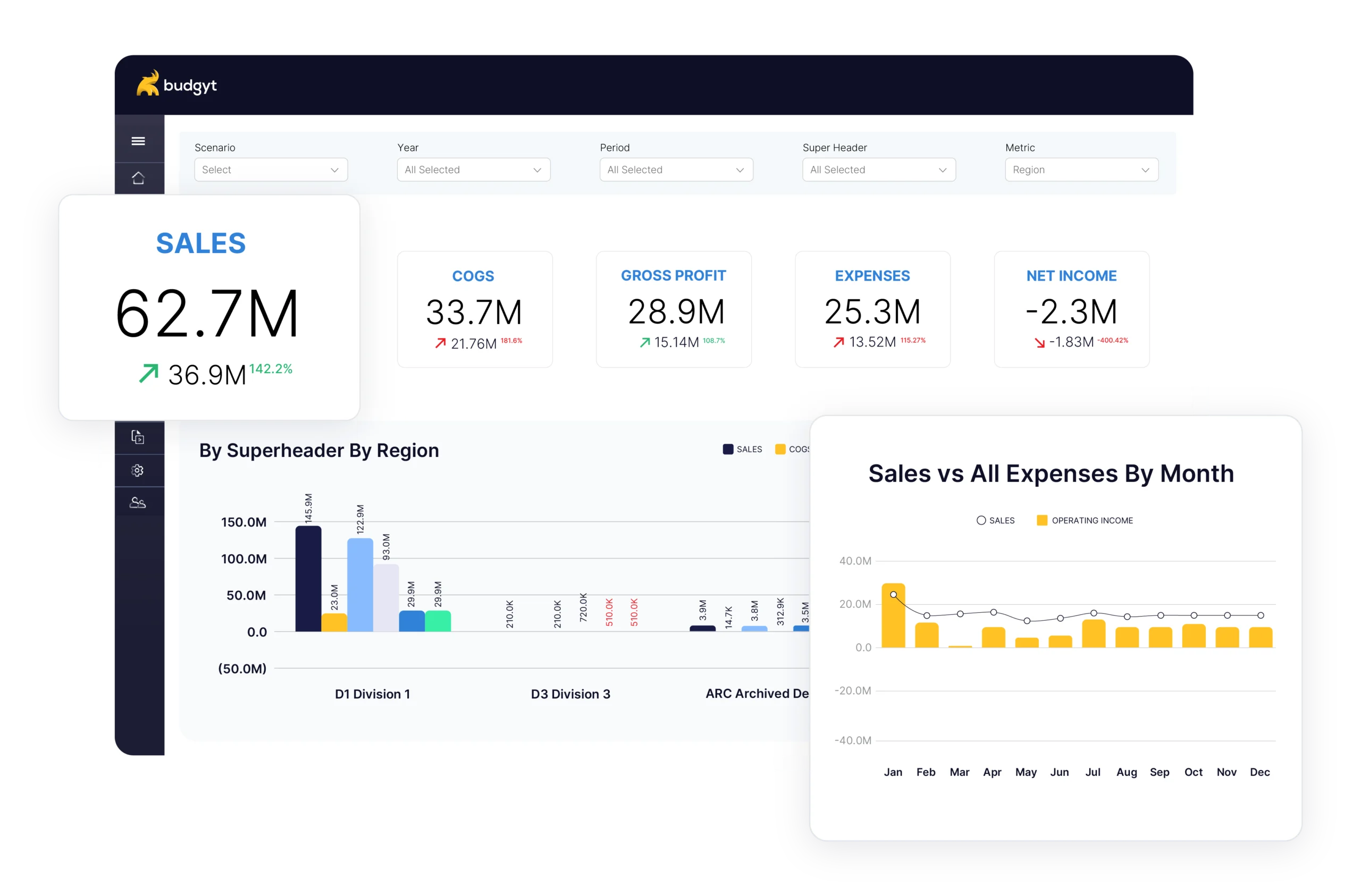
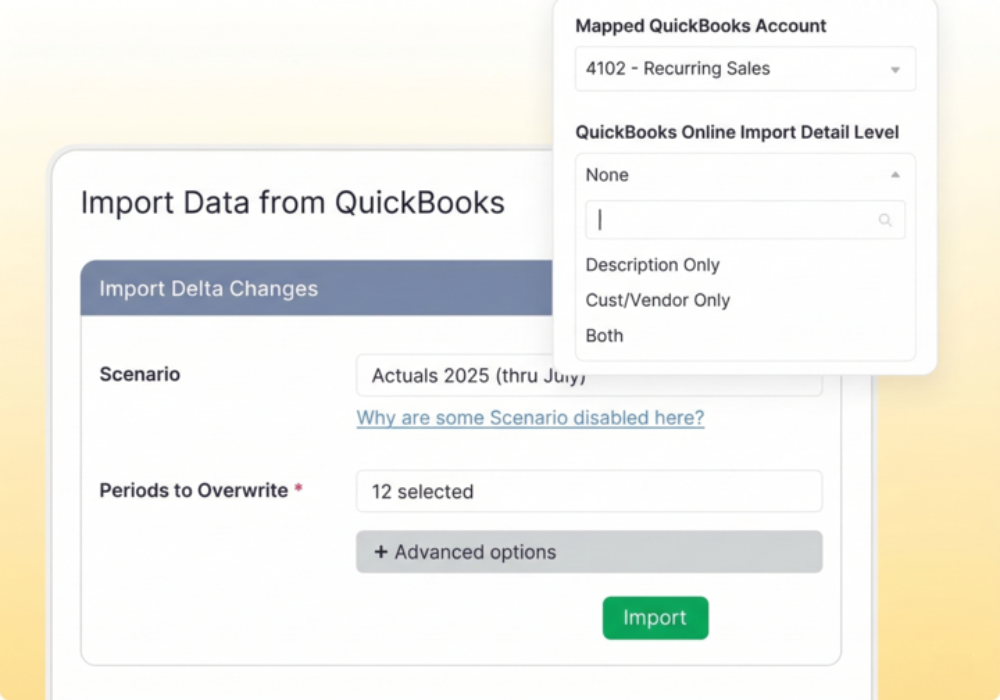
Budgyt connects to QuickBooks through a deep read-only API. It automatically maps your Chart of Accounts, departments, classes, and sub-classes. It imports your General Ledger transactions directly into an Actuals scenario. Your accounting data flows in without anyone touching QuickBooks, and your accounting system remains completely untouched.
Setup takes days, not months. Once connected, here is what changes:
Your team contributes without accessing QuickBooks. Department heads, program managers, and other contributors can build their budgets and analyze their variances without ever logging into your accounting system. They see only the data relevant to their role, and sensitive information stays hidden. Permissions are set by function, class, account, version, and payroll, so you control exactly what each user can see and do.
Multi-class budgeting with real depth. Build and compare budgets at the class, sub-class, account, sub-account, vendor, and customer level. Get instant drill-down into any number, and easy comparisons across any dimension your organization tracks. Budget to Actual is available at every level of detail, not just the top line.
Unlimited scenarios. Run best-case, worst-case, board-approved, and working scenarios simultaneously. Compare them side by side. Update one without affecting the others. When someone asks what happens if a revenue stream dries up, you have the answer ready.
Rolling forecasts that reflect reality. Import actuals monthly and update your forecasts based on real performance. What used to take hours of manual data entry now happens automatically. Your forecast stays current instead of gathering dust. (Here is a deeper look at how rolling forecasts work in practice.)
Variance analysis you can act on. Click any variance and drill down to see exactly what is driving it, down to the transaction level. No more hunting through spreadsheets or promising to circle back with a breakdown.
The organizations that feel this pain most acutely are often the ones that rely on QuickBooks the heaviest. Nonprofits, faith-based organizations, and mid-sized businesses that need serious budgeting capabilities but cannot justify an enterprise-level ERP.
Katherine Machel, Director of Finance at Technology Access Foundation, put it this way:
“As a nonprofit, I never thought we could afford software that performs at this high of a level…You never want to give all employees access to QuickBooks Online, so this is the perfect tool to give them the data they need, without them being able to access everything.”
And Jennifer Scroggins, Dir. of Operations at Resource Central, kept it simple:
“Integration with QuickBooks is easy and accurate!”
That is the point. Budgyt is not asking you to rip out QuickBooks and start over. It is built to work alongside it, filling in the budgeting gaps that QuickBooks was never designed to handle.
QuickBooks is great at what it does. Nobody is arguing otherwise. But if you are trying to manage a real budgeting process inside it – limited to one scenario, no collaboration tools, no rolling forecasts, and surface-level variance reports – you are making your life harder than it needs to be.
You do not need a new accounting system. You need a budgeting system that connects to the one you already have.
Budgyt plugs directly into QuickBooks, imports your data automatically, and gives your entire team a platform where they can build budgets, run scenarios, analyze variances, and update forecasts – all without the risk and manual effort of Excel.
You manage millions of dollars. You make decisions affecting dozens of employees. You report to boards with fiduciary responsibility.